Do Not Sell My Personal Information Jump to content
View in the app

A better way to browse. Learn more.

Subaru Owners Club UK | Subaru Forums

A full-screen app on your home screen with push notifications, badges and more.

To install this app on iOS and iPadOS
  1. Tap the Share icon in Safari
  2. Scroll the menu and tap Add to Home Screen.
  3. Tap Add in the top-right corner.
To install this app on Android
  1. Tap the 3-dot menu (⋮) in the top-right corner of the browser.
  2. Tap Add to Home screen or Install app.
  3. Confirm by tapping Install.

Mattman4242

Members
  • Joined

  • Last visited

Everything posted by Mattman4242

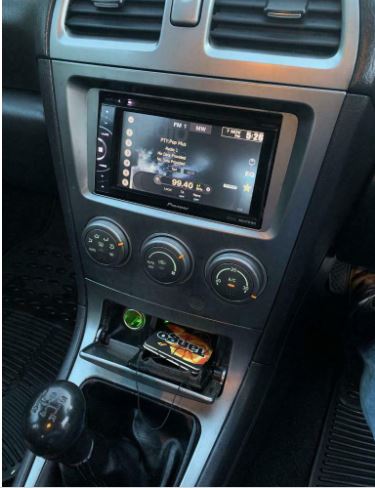
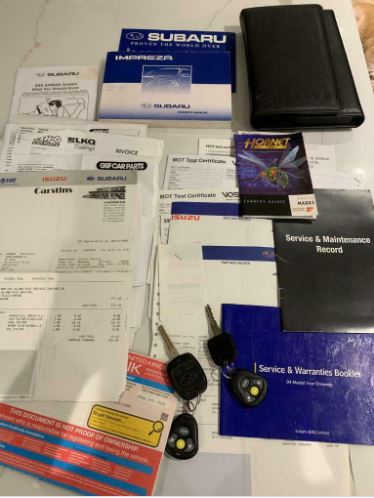
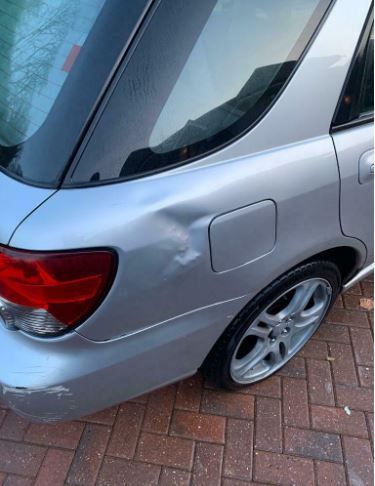
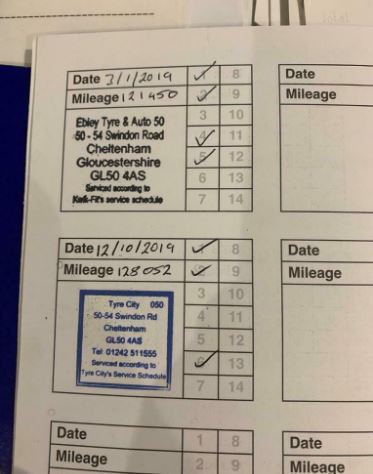
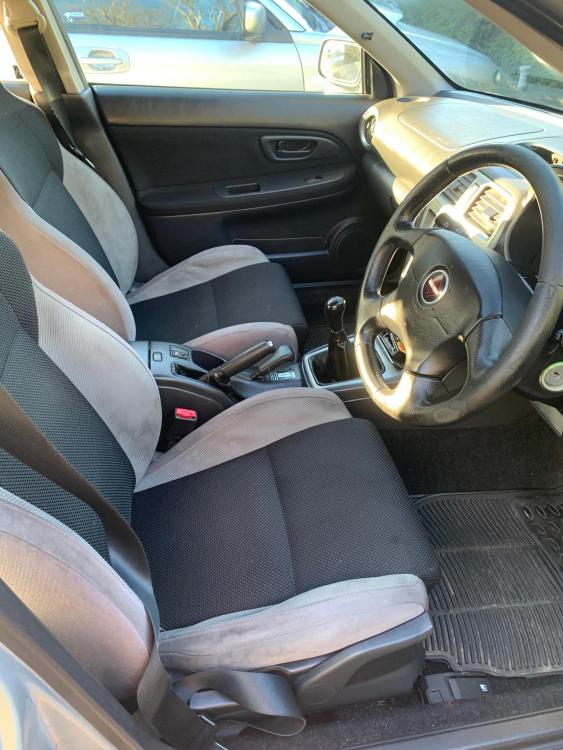
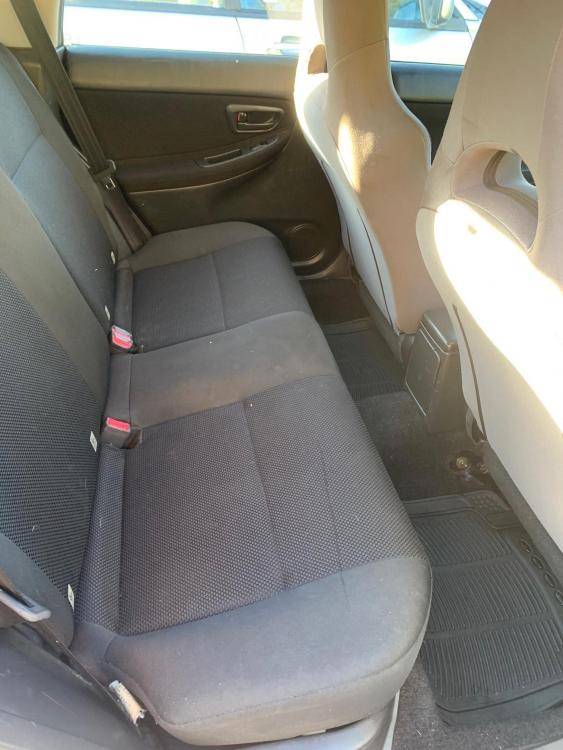
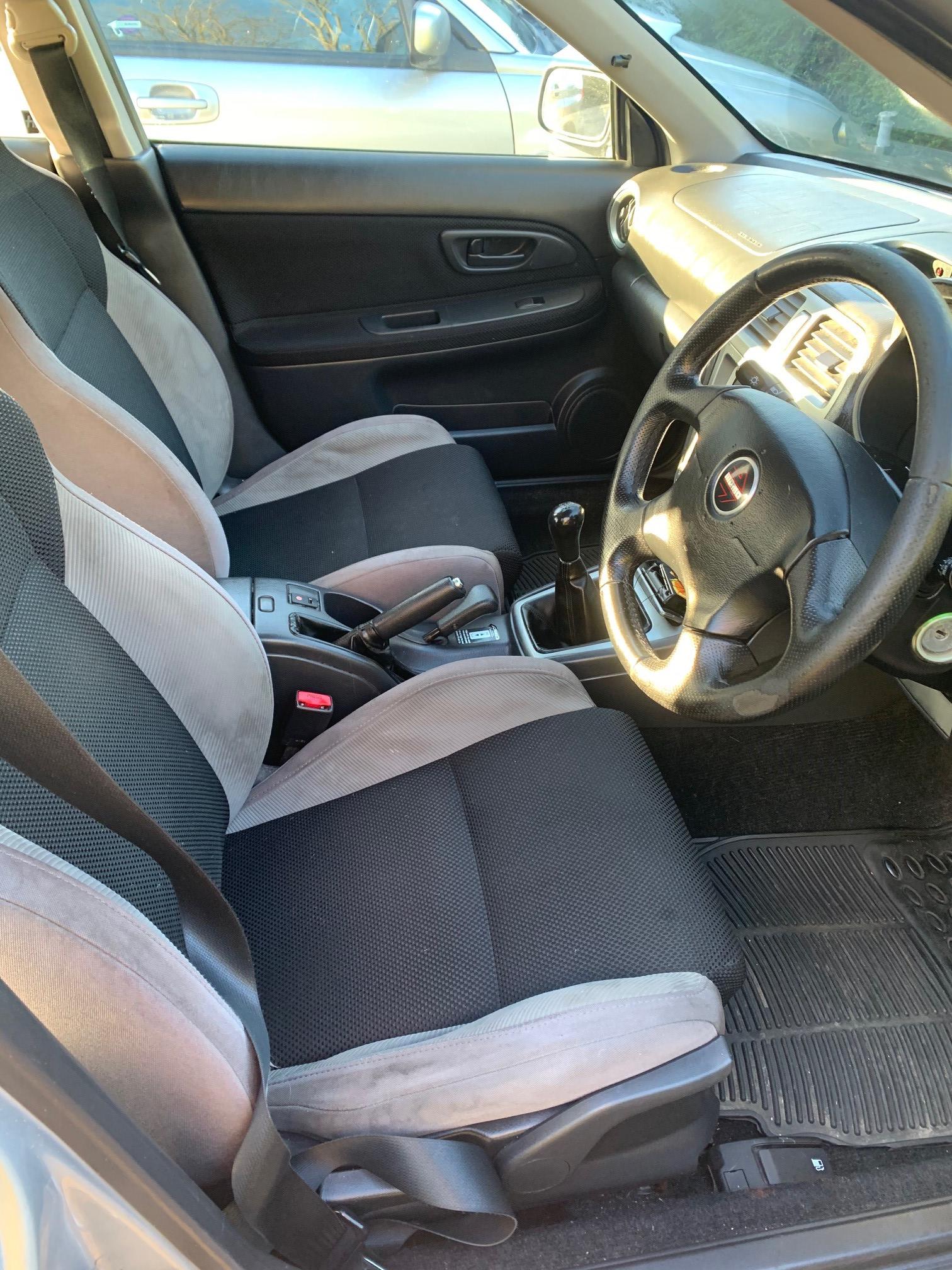
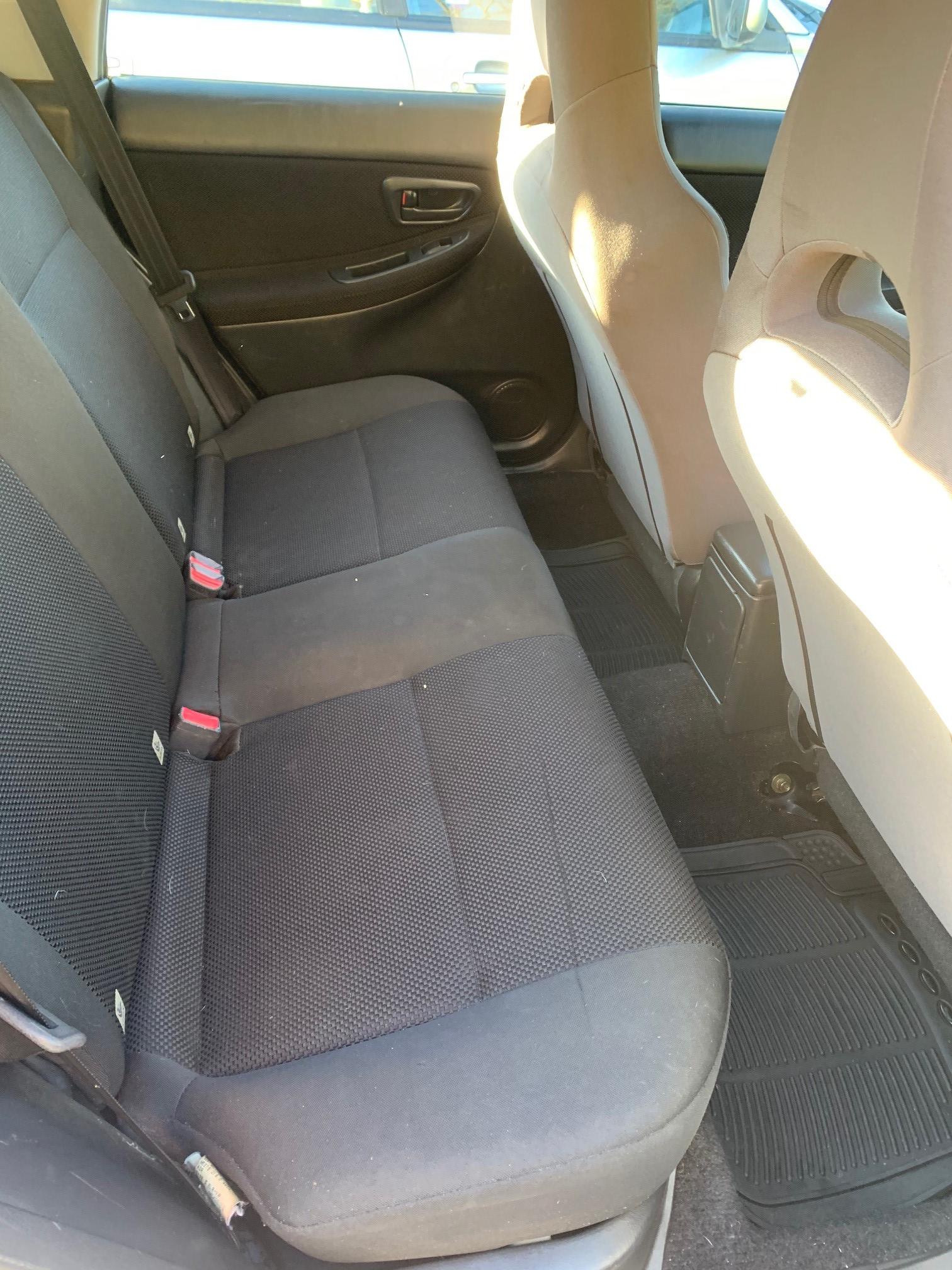
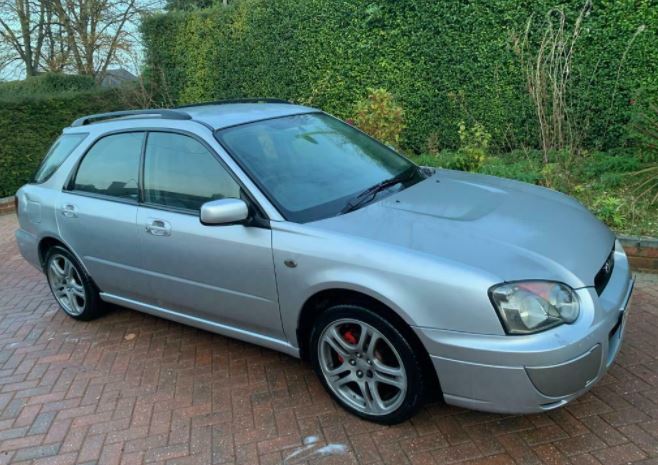
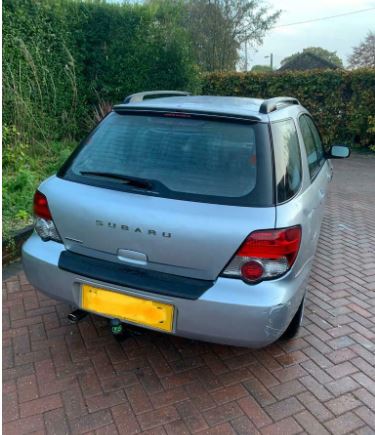
  1. 2004/54 Subaru Impreza Wagon 2.0 GX 5 Speed Manual Non-turbo model so cheap insurance, All wheel drive, Silver, 5 doors, Tow bar, electric windows and mirrors, ABS, Air Con, 17” WRX alloy wheels with good Tyres all round, upgraded WRX seats, Pioneer touch screen Stereo with USB and Aux input, Original owners manual with lots of paper work. 133,000 miles, last serviced at 128k, Short MOT until Jan 2021. New Hornet thatcham CAT 1 alarm fitted in June Drives well but body is a scruffy with marks and dinks as shown in the photos, hence low price. Probably worth more in parts but don't have the space to break it so selling as it is Ideal winter hack while your pride and joy is tucked away 🙂 Car is located in Basingstoke, Hampshire £750 or near offer
Background Picker
Customize Layout

Account

Navigation

Search

Configure browser push notifications

Chrome (Android)
  1. Tap the lock icon next to the address bar.
  2. Tap Permissions → Notifications.
  3. Adjust your preference.
Chrome (Desktop)
  1. Click the padlock icon in the address bar.
  2. Select Site settings.
  3. Find Notifications and adjust your preference.