
Skip to content
View in the app

A better way to browse. Learn more.

Subaru Owners Club UK | Subaru Forums

A full-screen app on your home screen with push notifications, badges and more.

To install this app on iOS and iPadOS
  1. Tap the Share icon in Safari
  2. Scroll the menu and tap Add to Home Screen.
  3. Tap Add in the top-right corner.
To install this app on Android
  1. Tap the 3-dot menu (⋮) in the top-right corner of the browser.
  2. Tap Add to Home screen or Install app.
  3. Confirm by tapping Install.

MotoMezza

Members
  • Joined

  • Last visited

Everything posted by MotoMezza

  1. Cheers for that, just looking at those wiper blades, did you get the frameless or with frame type...???
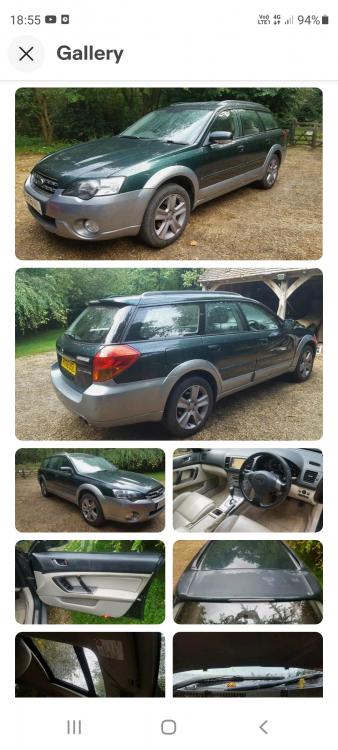
  2. Long time coming this but the 300+ mile drive back home resonated some good vibes about this car. It's a 2006 as you can see, H6 engine in fair condition inside and out. The seller was a top bloke and pointed out some aspects that required input straight away in particular the drone of a rear wheel bearing and the placement of a temporary universal CV boot. I'm looking to keep this wagon for a good chunk of time so willing to throw TLC at it. Any immediate and obvious area's to start looking into here..?? Cheers, Mez/NE
Background Picker
Customize Layout

Account

Navigation

Search

Search

Configure browser push notifications

Chrome (Android)
  1. Tap the lock icon next to the address bar.
  2. Tap Permissions → Notifications.
  3. Adjust your preference.
Chrome (Desktop)
  1. Click the padlock icon in the address bar.
  2. Select Site settings.
  3. Find Notifications and adjust your preference.