Do Not Sell My Personal Information Jump to content
View in the app

A better way to browse. Learn more.

Subaru Owners Club UK | Subaru Forums

A full-screen app on your home screen with push notifications, badges and more.

To install this app on iOS and iPadOS
  1. Tap the Share icon in Safari
  2. Scroll the menu and tap Add to Home Screen.
  3. Tap Add in the top-right corner.
To install this app on Android
  1. Tap the 3-dot menu (⋮) in the top-right corner of the browser.
  2. Tap Add to Home screen or Install app.
  3. Confirm by tapping Install.

Turbotone

Members
  • Joined

  • Last visited

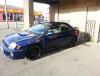
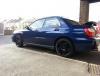
  1. Hi guys, sorry it's been a while, I picked up a bugeye a few weeks ago and have to say, I'm loving it!! I scrapped my 2.0 focus as 3rd gear was shot and bought the wrx and a ford KA to save some petrol and teach my gf to drive in, I'll link in a few pics of the wrx Already looking into removing first decat even though I said I won't tinker haha
  2. Thanks very much, soon as I pick it up there will be pictures :)
  3. Turbotone commented on Jay762's gallery image in Subaru Owners Gallery - Albums
  4. Heya guys, Next Thursday I'm hoping to purchase a 51 plate Subaru wrx 2.0 Am probably going to keep it standard and it's also my daily Cheers.

Background Picker
Customize Layout

Configure browser push notifications

Chrome (Android)
  1. Tap the lock icon next to the address bar.
  2. Tap Permissions → Notifications.
  3. Adjust your preference.
Chrome (Desktop)
  1. Click the padlock icon in the address bar.
  2. Select Site settings.
  3. Find Notifications and adjust your preference.