Do Not Sell My Personal Information Jump to content
View in the app

A better way to browse. Learn more.

Subaru Owners Club UK | Subaru Forums

A full-screen app on your home screen with push notifications, badges and more.

To install this app on iOS and iPadOS
  1. Tap the Share icon in Safari
  2. Scroll the menu and tap Add to Home Screen.
  3. Tap Add in the top-right corner.
To install this app on Android
  1. Tap the 3-dot menu (⋮) in the top-right corner of the browser.
  2. Tap Add to Home screen or Install app.
  3. Confirm by tapping Install.

Lux_Great

Members
  • Joined

  • Last visited

Everything posted by Lux_Great

  1. Hi So the GB270 is soon heading to my driveway. Saying good bye to my excellent Legacy Spec B after 7-years ownership. On the Spec B I fitted a Pipercross air filter. It made a difference. Any air filter recommendations from 2006-7 WRX owners ? Cheers

  2. If only…. its my Dad's…. he has the high output 230 BHP version. Not bad for a 79-year old ! He has petrol in his blood too. Thankfully its been passed down the generations !
  3. Thanks all. Yeah looking forward to GB270 ownership. Got into Jap stuff after 5- years on TVRs. I don't think I will be heading back that way. Too temperamental. GB270 is completely standard, other than braided brake lines. Looking to keep it that way :) Or then again..... :)
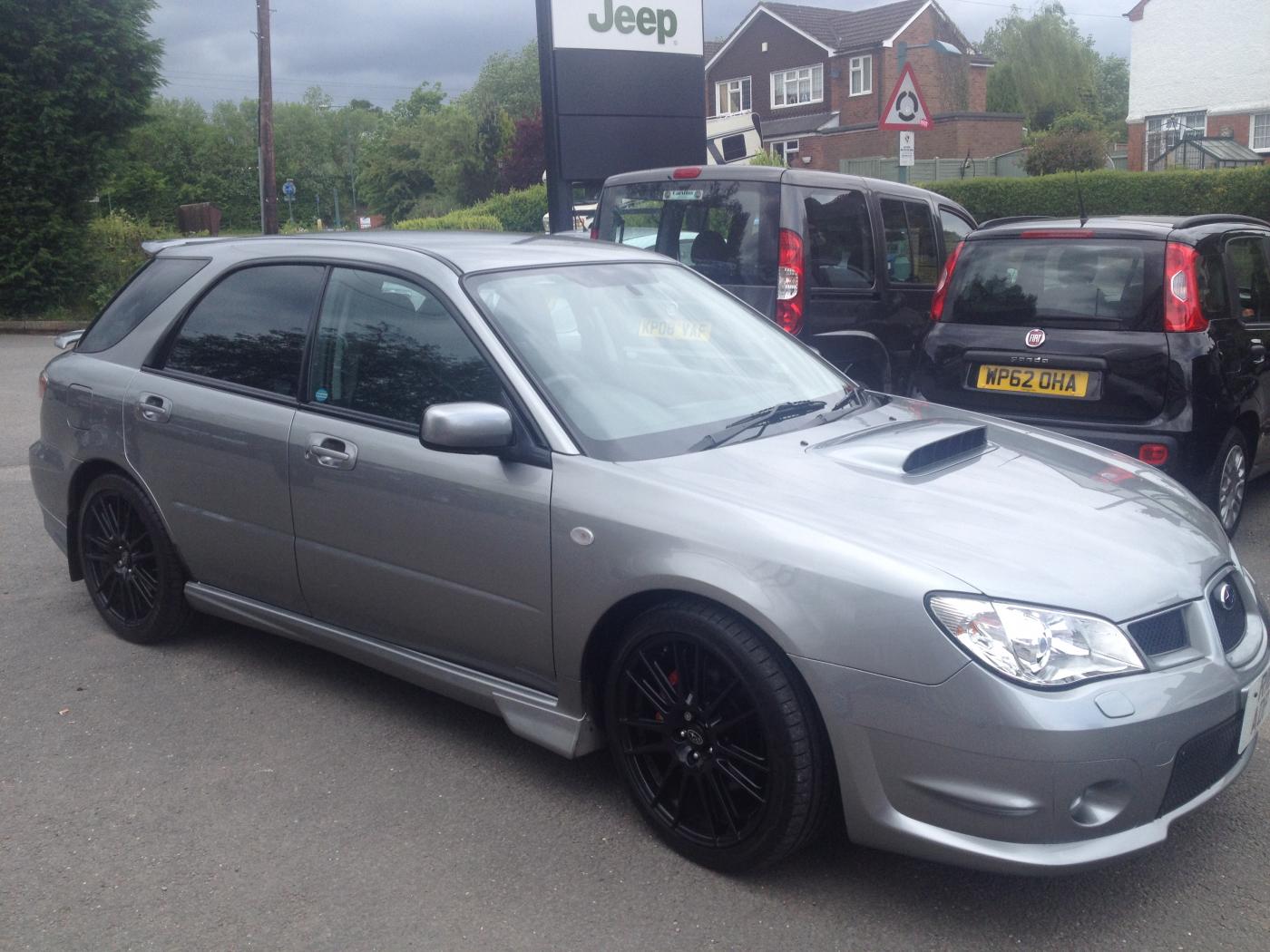
  4. Hi there I have just bought a 2007 GB270 Wagon and having enjoyed 7-years with my 3.0 litre Spec B Legacy Tourer. That was an excellent car, the handling in particular. It had 240 BHP and could have easily handled another 50 without any problem at all. I just hope the Wagon handles as well, if not better ! Looking forward to being on the Forum. I'm a fan of Subaru but also have a 2006 MX5 and access to a 2008 RX-8 Looking forward to the next chapter of Scooby ownership ! lux_great
Background Picker
Customize Layout

Account

Navigation

Search

Configure browser push notifications

Chrome (Android)
  1. Tap the lock icon next to the address bar.
  2. Tap Permissions → Notifications.
  3. Adjust your preference.
Chrome (Desktop)
  1. Click the padlock icon in the address bar.
  2. Select Site settings.
  3. Find Notifications and adjust your preference.