Do Not Sell My Personal Information Jump to content
View in the app

A better way to browse. Learn more.

Subaru Owners Club UK | Subaru Forums

A full-screen app on your home screen with push notifications, badges and more.

To install this app on iOS and iPadOS
  1. Tap the Share icon in Safari
  2. Scroll the menu and tap Add to Home Screen.
  3. Tap Add in the top-right corner.
To install this app on Android
  1. Tap the 3-dot menu (⋮) in the top-right corner of the browser.
  2. Tap Add to Home screen or Install app.
  3. Confirm by tapping Install.

lukev6tdi

Members
  • Joined

  • Last visited

Everything posted by lukev6tdi

  1. Consett mate well lanchester.
  2. Aye other forums ive been on there is the very people you are on about. Also what gets me is when people think that more boost is more power. Wrong.
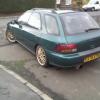
  3. Oh I forgot to mention the green one was my first the silver one is the one I bought the other day.
  4. Well erm bonnet grille fr bumper bootlid re bumper side skirts and a offset backbox as personally I think the one that came on it is ridiculous lol.
  5. Hello all recently purchased my second impreza for 380 notes. Some of you may have seen it for sale on ebay Its a p plate wagon gl with less than 100k on it. The idea is to do a full wrx wagon replica as for the miles I do I couldnt afford to run a genuine wrx
Background Picker
Customize Layout

Configure browser push notifications

Chrome (Android)
  1. Tap the lock icon next to the address bar.
  2. Tap Permissions → Notifications.
  3. Adjust your preference.
Chrome (Desktop)
  1. Click the padlock icon in the address bar.
  2. Select Site settings.
  3. Find Notifications and adjust your preference.