
Do Not Sell My Personal Information Jump to content
View in the app

A better way to browse. Learn more.

Subaru Owners Club UK | Subaru Forums

A full-screen app on your home screen with push notifications, badges and more.

To install this app on iOS and iPadOS
  1. Tap the Share icon in Safari
  2. Scroll the menu and tap Add to Home Screen.
  3. Tap Add in the top-right corner.
To install this app on Android
  1. Tap the 3-dot menu (⋮) in the top-right corner of the browser.
  2. Tap Add to Home screen or Install app.
  3. Confirm by tapping Install.

Mr-Henson

Members
  • Joined

  • Last visited

Everything posted by Mr-Henson

  1. Filled it up with vpower and cruising to a couple of pubs with racing little hopefulls in there stolen Saxo vxrs ;)
  2. Thank you and I look forward to hearing all your knowledge and tuning advice :)
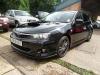
  3. Hello buddy, yeah from jps in wittlsey, he did infact have a rather nice 05 blue sti in when I viewed this, but couldn't get insured plus I love my hatchbacks to much and this was a bargain I feel and with a bit of extra money I've read it's an under tuned machine that can be boosted right up there and above standard stis but well see :)
  4. New here hi and new to subaru as it's only my third car, but thinking deffinatly of starting to tune so I'm sure I'll have some stupid questions to ask to most of you anyway but knowledge is priceless :) I'm from Peterborough btw
Background Picker
Customize Layout

Configure browser push notifications

Chrome (Android)
  1. Tap the lock icon next to the address bar.
  2. Tap Permissions → Notifications.
  3. Adjust your preference.
Chrome (Desktop)
  1. Click the padlock icon in the address bar.
  2. Select Site settings.
  3. Find Notifications and adjust your preference.
