


Jazman88
Members
-
Joined
-
Last visited
Everything posted by Jazman88
-
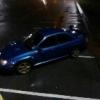 Thankyou. Prodrive kit Full de cat Blitz nur spec r exhaust Rear windows tinted Parrot kit Ark stealth turbo timer Welbro fuel 225 pump 550 injectors Cosworth panel filter Stainless downpipe Stainless headers Genuine Sti rear spoiler Stage 3 clutch And custom remap
 -
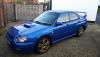
Quick pic of my wrx 300 prodrive
-
Yeah there is two of us with scoobys that are good mates already
-
Hi guys im from Scunthorpe. Yeah im interested in meeting new scooby owners
-
Hi guys im jaz im new to tge scooby scene. Is anyone local to me im from Lincolnshire
-
Mine came on my blobeye due to egt being removed but got it mapped off

