
Skip to content
View in the app

A better way to browse. Learn more.

Subaru Owners Club UK | Subaru Forums

A full-screen app on your home screen with push notifications, badges and more.

To install this app on iOS and iPadOS
  1. Tap the Share icon in Safari
  2. Scroll the menu and tap Add to Home Screen.
  3. Tap Add in the top-right corner.
To install this app on Android
  1. Tap the 3-dot menu (⋮) in the top-right corner of the browser.
  2. Tap Add to Home screen or Install app.
  3. Confirm by tapping Install.

adamcain1990

Members
  • Joined

  • Last visited

Everything posted by adamcain1990

  1. its says it has full service history the same owner for the last 8 years its from a garage they always bump there prices up but will try and get them down
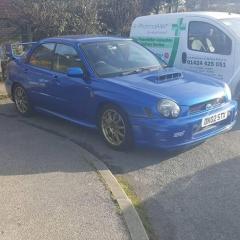
  2. heres the car its been for sale for a little while now http://www.hurstcars.co.uk/used-cars/subaru-impreza-2-0-wrx-uk300-uk300-4dr-bedford-201411138962171 just want to know if the millage is high etc oh is there i will try and find it once ive got the hang of the forum :)
  3. ive found one but unsure as im new to the scooby scene
  4. hi everyone im finally now going to be a subaru impreza owner once i found one :) i like the look of the uk300 prodrive so im on the hunt for one of them
Background Picker
Customize Layout

Account

Navigation

Search

Search

Configure browser push notifications

Chrome (Android)
  1. Tap the lock icon next to the address bar.
  2. Tap Permissions → Notifications.
  3. Adjust your preference.
Chrome (Desktop)
  1. Click the padlock icon in the address bar.
  2. Select Site settings.
  3. Find Notifications and adjust your preference.