Do Not Sell My Personal Information Jump to content
View in the app

A better way to browse. Learn more.

Subaru Owners Club UK | Subaru Forums

A full-screen app on your home screen with push notifications, badges and more.

To install this app on iOS and iPadOS
  1. Tap the Share icon in Safari
  2. Scroll the menu and tap Add to Home Screen.
  3. Tap Add in the top-right corner.
To install this app on Android
  1. Tap the 3-dot menu (⋮) in the top-right corner of the browser.
  2. Tap Add to Home screen or Install app.
  3. Confirm by tapping Install.

Scottb150

Members
  • Joined

  • Last visited

Everything posted by Scottb150

  1. I will make sure I take the camera
  2. I am heading to Somerset speedway tomorrow. if anyone is around it would be good to meet up.
  3. No pretty much standard mate. Only done warranted 50k which is what I wanted a low mileage standard car to play with. Your right about the grin, I'm grinning still writing this Thanks Rich be good to catch up some time. Cheers Jay.
  4. Haha.....Deffo surpassed the Cheshire cat
  5. Hi all, Just got my first Impreza today. Hoping to get and do some meets during the summer and meet a few people.
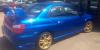
  6. Images added to a gallery album owned by Scottb150 in Subaru Owners Gallery - Albums

Background Picker
Customize Layout

Configure browser push notifications

Chrome (Android)
  1. Tap the lock icon next to the address bar.
  2. Tap Permissions → Notifications.
  3. Adjust your preference.
Chrome (Desktop)
  1. Click the padlock icon in the address bar.
  2. Select Site settings.
  3. Find Notifications and adjust your preference.