mantis147
Members
-
Joined
-
Last visited
Everything posted by mantis147
-
Has anyone upgraded their sat Nav at all as I've noticed it's really dated as was setup in 2005. Just after ideas really as replacing the screen for something modern would be good. Cheers Sent from my D6603 using Tapatalk
-
Cheers, it's killing me not being able to drive it until tomorrow though as I need to tax it in the post office. Grrr! Sent from my D6603 using Tapatalk
-
Thanks for the info I will check those websites out
-
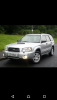
Hi all, I'm totally new to subaru's but always fancied the boxer burble!! Randomly stumbled across a 2005 forester 2.5xt I picked it up today, 1 owner from new, subaru service history and it's done 44k!! Absolutely made up with it, it's a total sleeper/ Wolf in sheep's clothing! I was out for a performance hatchback but had to get this. I will have many questions as I like to do my own mechanical work when possible, if the wife & kids arent on my back haha. My last car was a 1994 Toyota celica st205 wrc, was forged running 310bhp but sold it last year after 5 years ownership [emoji3] Who is a good supplier for brake pads/discs? Cheers Lee Sent from my D6603 using Tapatalk