
Skip to content
View in the app

A better way to browse. Learn more.

Subaru Owners Club UK | Subaru Forums

A full-screen app on your home screen with push notifications, badges and more.

To install this app on iOS and iPadOS
  1. Tap the Share icon in Safari
  2. Scroll the menu and tap Add to Home Screen.
  3. Tap Add in the top-right corner.
To install this app on Android
  1. Tap the 3-dot menu (⋮) in the top-right corner of the browser.
  2. Tap Add to Home screen or Install app.
  3. Confirm by tapping Install.

kgbkev

Members
  • Joined

  • Last visited

Everything posted by kgbkev

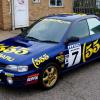
  1. I'm thinking of removing the old faded and split ones and polishing up paint work then replace with some new ones ?? 555 ones or same as is now ?? Sent from my SM-G900F using Tapatalk
  2. Any advise on sticker kits looking at the paint work it had the 555's all over it before import? ? Cheers Sent from my SM-G900F using Tapatalk
  3. Yes it all adds up. Sent from my SM-G900F using Tapatalk
  4. Nice one can't wait too get it home .last owner a friend who had it from import for 9 years. Sent from my SM-G900F using Tapatalk
  5. Saloon Sent from my SM-G900F using Tapatalk
  6. 2500. Sent from my SM-G900F using Tapatalk
  7. Hello everyone . I've just bought a subaru impreza limited 555 on a n reg with 67 k on the clock in very good condition I was wondering what it would be worth ?? Sent from my SM-G900F using Tapatalk

Background Picker
Customize Layout

Account

Navigation

Search

Search

Configure browser push notifications

Chrome (Android)
  1. Tap the lock icon next to the address bar.
  2. Tap Permissions → Notifications.
  3. Adjust your preference.
Chrome (Desktop)
  1. Click the padlock icon in the address bar.
  2. Select Site settings.
  3. Find Notifications and adjust your preference.