Zippy320
Members
-
Joined
-
Last visited
Everything posted by Zippy320
-
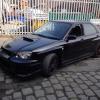
Pics uploaded in album Zippy.....These are how he is now but changes are going to happen. ....work in progress as I said. ...
-
Photos of car at present.......but changes will be made.....as said work in progress...
-
Cheers....and yeah.
-
Ignore that....found it.
-
Where do I put pics ???
-
Lol....mine sadly are too old for that now. 8 and 11. I have to creap out so can drive without them .....
-
Loving it.....He gets looked after more than the kids....
-
Luckily I've had the car fully checked. Bought of a friend (so called ). Not had to have loads done but had to do a few things but all sorted nearly now. Just money wasn't expecting to spend. At least he's now safe to drive. Cars for you though. Just see him as work in progress. Lol
-
Ah thought he was telling me porkies. ....He told me a few porkies. Like I said new to scoobies.
-
Sorted....i know bits and bobs. But new to scooby turbos and remapping. It was remapped before I bought him.
-
Remapped to 320
-
Hi I've never been on a forum before but I joined due to the fact that im hoping I can get the help and advice I may need without being judged as a typical no idea women. Apologies for sounding abrupt but I've had this reaction of a few that don't know me. I've got a 03 blobeye wrx newage. 320 hp. So looking forward to your honest advice and help. Good to be here.