Skip to content
View in the app

A better way to browse. Learn more.

Subaru Owners Club UK | Subaru Forums

A full-screen app on your home screen with push notifications, badges and more.

To install this app on iOS and iPadOS
  1. Tap the Share icon in Safari
  2. Scroll the menu and tap Add to Home Screen.
  3. Tap Add in the top-right corner.
To install this app on Android
  1. Tap the 3-dot menu (⋮) in the top-right corner of the browser.
  2. Tap Add to Home screen or Install app.
  3. Confirm by tapping Install.

Stevew071

Members
  • Joined

  • Last visited

Everything posted by Stevew071

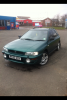
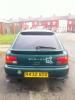
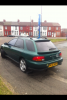
  1. here is the bugger thats giving me a petrol headache....grrrrrrrrr......cant complain for £650....
  2. Cheers lads, took up the back seat and all pipes seen fine, could'nt smell fuel anywhere!!! Looked under the carpets and no smell or visible signs of leaks....i will investigate further on Sunday and let ya know....thanks again...
  3. Yeah mate car runs superb stripping it down on Sunday to have a proper look....thanks..
  4. Sorry its a R plate car....
  5. Can anyone plz help me? Just bought an impreza wagon sport... Love the car, but unfortunatly i seem to have a fuel leak coming from the rear arch underneath the fuel filler, you can also smell fuel inside... Any help would be great, i will post pics later... Regards all...Steve..

Background Picker
Customize Layout

Account

Navigation

Search

Search

Configure browser push notifications

Chrome (Android)
  1. Tap the lock icon next to the address bar.
  2. Tap Permissions → Notifications.
  3. Adjust your preference.
Chrome (Desktop)
  1. Click the padlock icon in the address bar.
  2. Select Site settings.
  3. Find Notifications and adjust your preference.