
-
Wheels to clear brembos
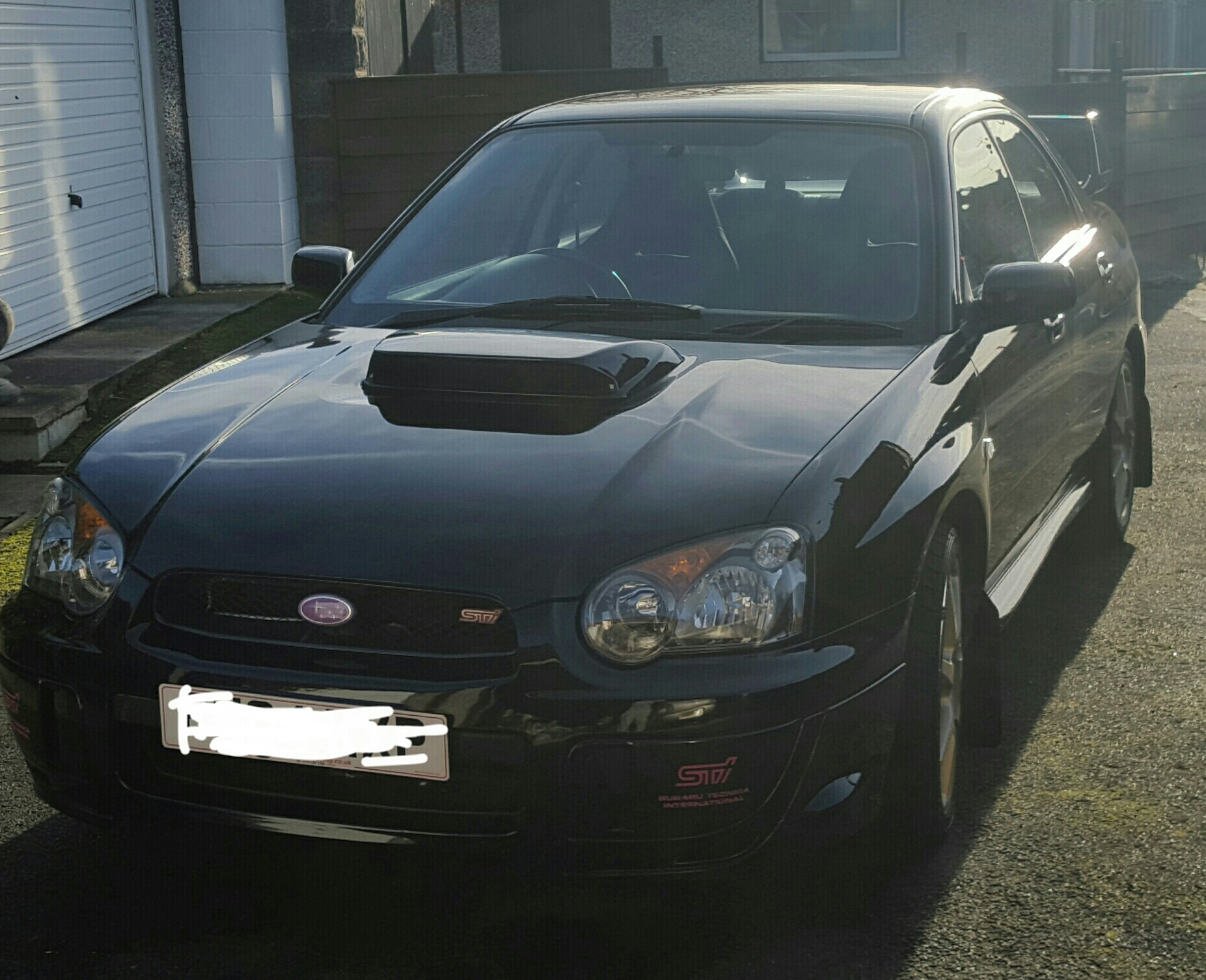
After reading a few posts on different forums and getting no where I thought I'd ask.. what size wheels would fit a blobeye sti and clear the brembos? Iv been told rota gra 18x7.5 et48 will fit but others have told me they won't?
- BK racing eclipse 17" Gold alloys
-
Wheels to fit a 2004 sti
As the title says I'm looking for some wheels to fit my 2004 sti, anything considered
- BK racing eclipse 17" Gold alloys
-
Does anyone have any info on this car?
Absolutely killed me when it happend, had the thing five hours
-
Does anyone have any info on this car?
- Does anyone have any info on this car?
That was the before shot, two hours of owning it and everything was fine however 6 hours in....- Does anyone have any info on this car?
- Does anyone have any info on this car?
In the end I did the best choice and ignored the wrx and got a sti, best thing I ever did until I hit a curb in it lol- Rear lateral link
I'm glad I'm not the only one to do this lol iv looked underneath and it just seems like the links are bent. Getting the old bolts off is proving to be an absolute nightmare tho!- Rear lateral link
Has anyone ever had any experience with hitting a curb and bending the rear lateral link? Iv just done it to mine and wondering if there's anything else I should look out for damage wise?- Does anyone have any info on this car?
So I'm looking at buying an impreza wrx and iv test drove one today with 70k on, when I went to view it I noticed the forum stickers all over it so I was just wondering if anyone could give me some details on it during there ownership... - Does anyone have any info on this car?
lacey91
Members
-
Joined
-
Last visited
Account
Navigation
Search
Configure browser push notifications
Chrome (Android)
- Tap the lock icon next to the address bar.
- Tap Permissions → Notifications.
- Adjust your preference.
Chrome (Desktop)
- Click the padlock icon in the address bar.
- Select Site settings.
- Find Notifications and adjust your preference.
Safari (iOS 16.4+)
- Ensure the site is installed via Add to Home Screen.
- Open Settings App → Notifications.
- Find your app name and adjust your preference.
Safari (macOS)
- Go to Safari → Preferences.
- Click the Websites tab.
- Select Notifications in the sidebar.
- Find this website and adjust your preference.
Edge (Android)
- Tap the lock icon next to the address bar.
- Tap Permissions.
- Find Notifications and adjust your preference.
Edge (Desktop)
- Click the padlock icon in the address bar.
- Click Permissions for this site.
- Find Notifications and adjust your preference.
Firefox (Android)
- Go to Settings → Site permissions.
- Tap Notifications.
- Find this site in the list and adjust your preference.
Firefox (Desktop)
- Open Firefox Settings.
- Search for Notifications.
- Find this site in the list and adjust your preference.
