Jezwalker84
Members
-
Joined
-
Last visited
-
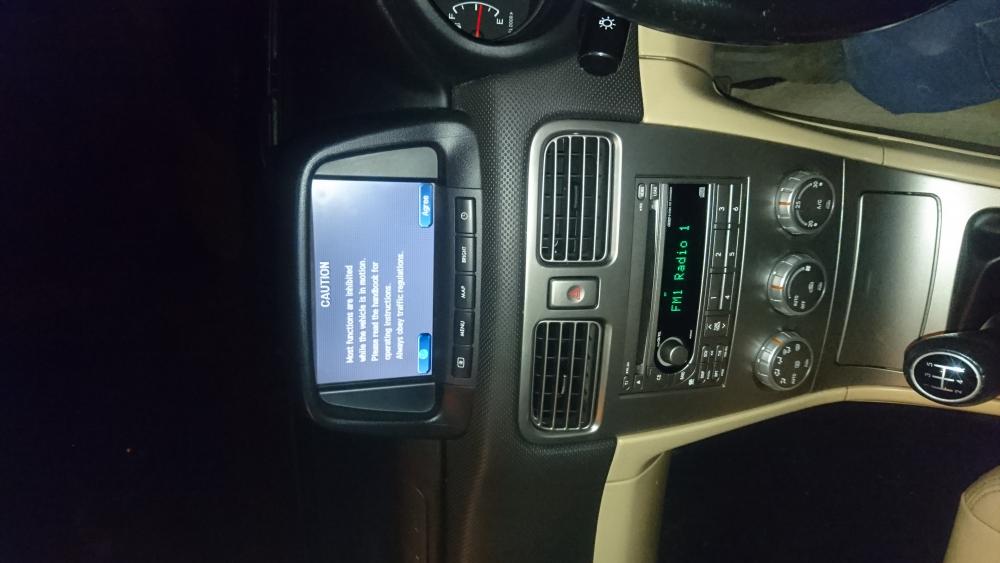
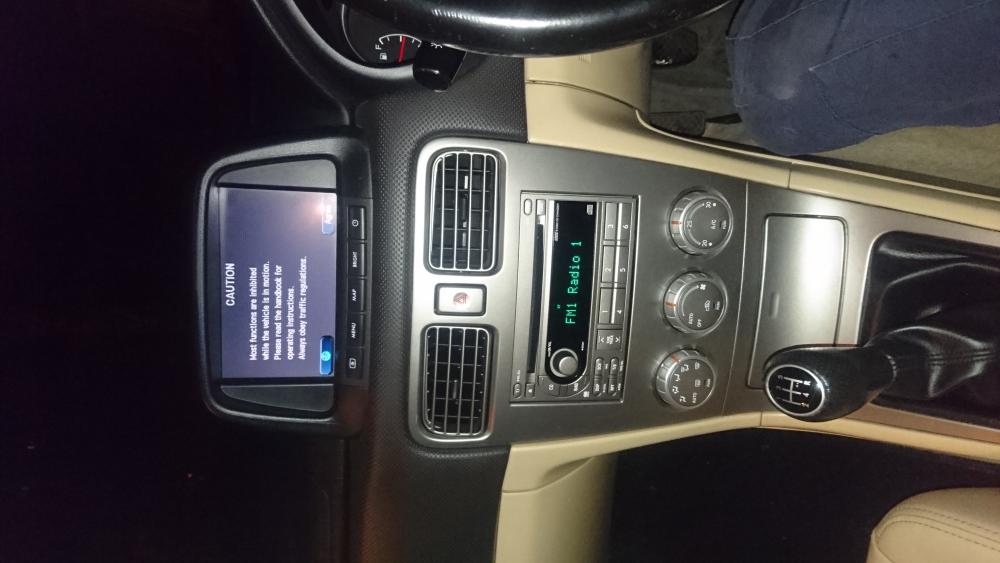
Please see pictures. Please help me lol :-)
-
PLEASE HELP!!!!!!
-
hi, I have a 2006 forester 25xt with factory fitted sat nav. I have a factory fitted kenwood 6 disc changer head unit . I would like to change my awful head unit but fear I may loose the sat nav sound/voice in the process?? Please help!!!! Thanks, Jez.
-
Jezwalker84 changed their profile photo
-
Hi, I have to same model, I want to change the head unit. Would I loose the sound from the sat nav through the speakers if I do this?? Thanks.
-
Thanks, that would be great. :-)
-
Hi guys, I have just purchased my first forester. Its a 56 plate (07) Forester 2.5 XT Prodrive. All I can say is WOW!!! I love this car. Fun and incredible practical for my dogs, children and fishing (Not necessarily in that order ;-) ). I have one complaint, I do not like the stereo. I own zero CD's. All my music is on my computer/memory stick. I don't want to replace the stereo if I can help it. I have found a cable the connects to a 20 pin CD changer plug and will allow me to use a USB mass storage device. Does the 6 disc stock head unit have this on the rear? If not can anyone recommend another option? Any other useful Forester tips will be greatly appreciated. The rear suspension looks and rides fine, the divers door motor and regulator has been replaced. I have ordered some strips of rubber for the front window trim to try and reduce the wind noise. I will order a new satnav disc from an 'online source' once I decide if mine is a core 1 or core 2 system. Thanks in advance, and once again, I LOVE THIS MACHINE!!!!!!! Jez