


ryanlally
Members
-
Joined
-
Last visited
-
check you messages
-
ryanlally changed their profile photo
-
hello, i'm after a sti 2008 hatchback grill like the one pictured, was wondering does anyone on here have one for sale or know where i can get hold of one? thanks
-
you're a hero haha thanks!
-
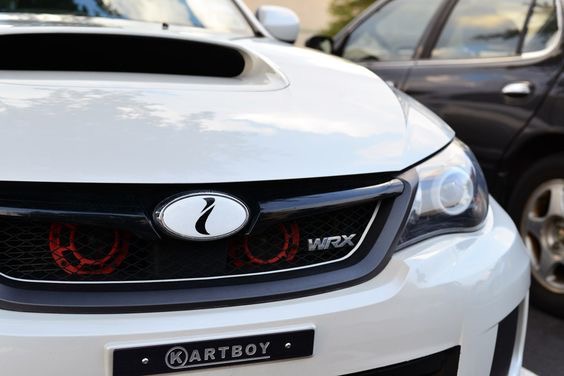
does anyone here know where i could get hold of the 'i' badge for my impreza 2008 doesn't have to be black and white any colour will be fine, thanks
-
yeah I've just ordered a cosworth panel filter so hopefully that makes a difference, do you know if a wrx sports cat/decat would fit? if not do you know where i could get one??
-
hello, just brought my first subaru, ive always loved the hatchback models. anyway was wondering what upgrades would be best to get the most power out of it? and what sort of price would i be looking at to turbo it? ive just had a custom cat back fitted so it sounds a hell of a lot nicer. thanks in advance!
.thumb.jpg.86f97f93ad43a111e2d5b574e8ccb07c.jpg)
-
exhaust systems, coilovers, induction kit maybe, just asking in general really because i cant seem to find aftermarket parts for a 2.0 rx.
-
hello, i bought a impreza rx 2.0 the other day, brillant car, i was wondering if anyone on here knows would aftermarket parts for a wrx fit my rx? thanks in advance!

.jpg.b6a58b575329cc3376bfe274760bfeba.jpg)