
Do Not Sell My Personal Information Jump to content
View in the app

A better way to browse. Learn more.

Subaru Owners Club UK | Subaru Forums

A full-screen app on your home screen with push notifications, badges and more.

To install this app on iOS and iPadOS
  1. Tap the Share icon in Safari
  2. Scroll the menu and tap Add to Home Screen.
  3. Tap Add in the top-right corner.
To install this app on Android
  1. Tap the 3-dot menu (⋮) in the top-right corner of the browser.
  2. Tap Add to Home screen or Install app.
  3. Confirm by tapping Install.

qprman75

Members
  • Joined

  • Last visited

Everything posted by qprman75

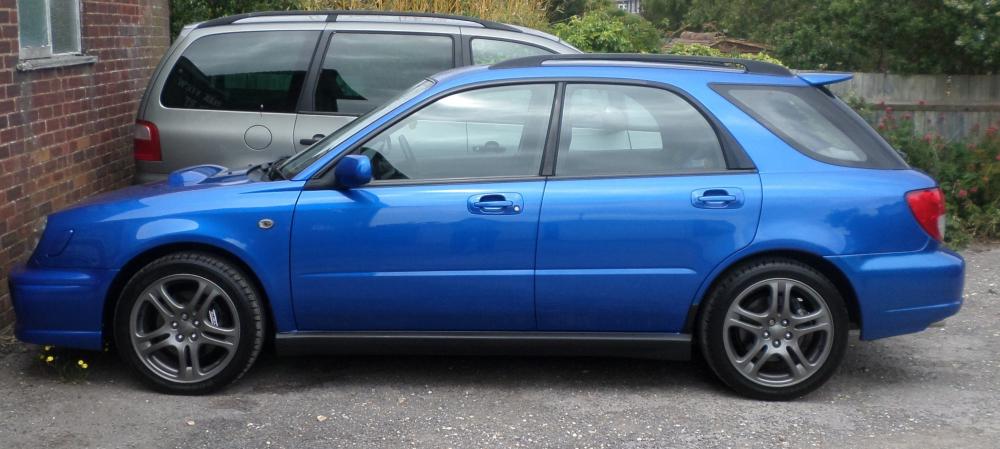
  1. hey guys recently purchased my second impreza after many years of wanting another, and yes im so !Removed! glad i did!!!!, had a 330i sport previous but grew bored with it fast, everytime i get in the subaru its just an instant smile, anyway shes an 2002 wrx wagon bugeye in the lovely desirable blue heres a pic, btw no engine mods she is completely standard, what do you think of the graphite grey alloys?.... oh allmost forget she does 0-60 in 5.7 secs timed it twice with my pal in the car, not bad concidering its done 100kand no upgrades
Background Picker
Customize Layout

Account

Navigation

Search

Configure browser push notifications

Chrome (Android)
  1. Tap the lock icon next to the address bar.
  2. Tap Permissions → Notifications.
  3. Adjust your preference.
Chrome (Desktop)
  1. Click the padlock icon in the address bar.
  2. Select Site settings.
  3. Find Notifications and adjust your preference.