nellieboy
Members
-
Joined
-
Last visited
Everything posted by nellieboy
-
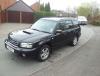
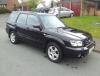
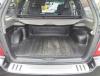
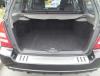
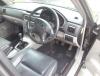
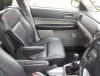
Subaru Forester XT 2.0 Turbo. Full Service History (last service July 2012), Full leather interior in fabulous condition, electric panoramic sunroof, electric windows, taxed until end Aug 2013, 74,000 miles, Black metallic paint, full surround air bags, CD player, Thatcham Category 1 alarm / immobilizer Nokia bluetooth kit installed (works with any bluetooth enabled phone), self levelling rear suspension, Automatic climate control / air conditioning, four wheel drive, ABS, PAS, arm rests, remote central locking, Subaru dog guard, Subaru full boot liner, Subaru bumper protector, winter pack (heated seats, front fogs, heated mirrors, heated wipers, headlight washers etc), leather handbrake handle, leather gear knob, Forester floor mats Owned since 2006. 2 previous owners (last owner was for less than one month - he bought it from a Subaru dealer but had an Impreza as well and decided against keeping both!) Still drives like it's new and is a fantastic example of this car. Any inspection/hpi check welcome. I would love £3850 (it is so nice!) but am welcome to offers. Email [email protected] or text/call 07872818162. Car is in south Staffordshire.