odessey
Members (FB)
-
Joined
-
Last visited
-
anyboy got any pics with the bc kit fitted please???
-
ok so by reading that there is 2 options. 2nd gen impreza struts and uprated rear springs or set of coilovers with custom springs is this right???
-
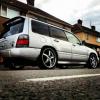
Does anyone know if any of the other Scooby models such as the impreza estate fit the fozzys please.??? I got the fozzy back from the guy I brought it from and he has mullered the suspension. he fitted wrx springs to the car but has cut a coil off each spring.
-
-
Does anybody have some headers and up pipe to fit a 1997 impreza sti please for sale?
-
Hi does anyone have any 1997> wrx springs please Also need 2 rear fozzy shocks/struts 1997 Thanks Pete
-
Hi every1, does anyone have any wrx rear springs for sale please???
-
That's what I'm hoping.
-
440 injectors and walborogh fuel pump. Iridium plugs and 12mm magnicore ht leads
-
Just brought a apexi ecu for my forester. bring on the mapping fun.
-
ive got a z4 fitted
-
It's still got a td04 on it at the moment so that will be the first job, upgrade that to a td05 then map it and see what I get
-
It's running 280 at the moment
-
Only want to go upto about 350bhp
-
so I should be putting a decent upgraded tmic on it really