
Do Not Sell My Personal Information Jump to content
View in the app

A better way to browse. Learn more.

Subaru Owners Club UK | Subaru Forums

A full-screen app on your home screen with push notifications, badges and more.

To install this app on iOS and iPadOS
  1. Tap the Share icon in Safari
  2. Scroll the menu and tap Add to Home Screen.
  3. Tap Add in the top-right corner.
To install this app on Android
  1. Tap the 3-dot menu (⋮) in the top-right corner of the browser.
  2. Tap Add to Home screen or Install app.
  3. Confirm by tapping Install.

daveblond

Members
  • Joined

  • Last visited

Everything posted by daveblond

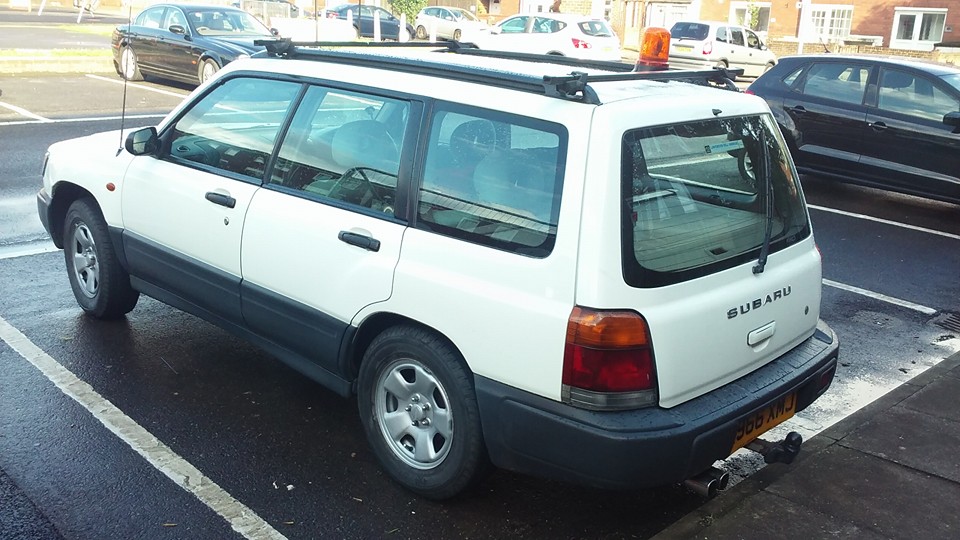
  1. Hi folks. I'm leaving the country this week and my beloved Forester has to go. From Hackney either this Weds 30th or the morning of 31st August. There is no shifting of this window. She's old - 1998 - but full of life with only 106k on the clock. In daily use, MOT til June 2018 but she does need work, mainly new exhaust (rear section), all belts (including timing belt), and little bits of body work.. Drives like a horse out the stocks still though. Be a shame to break her but what will be will be. Would rather see her go in this forum otherwise it's 'We buy any Car' as no time to muck about. Please email for the full run down of goods and bads. Cheers [email protected]
Background Picker
Customize Layout

Account

Navigation

Search

Configure browser push notifications

Chrome (Android)
  1. Tap the lock icon next to the address bar.
  2. Tap Permissions → Notifications.
  3. Adjust your preference.
Chrome (Desktop)
  1. Click the padlock icon in the address bar.
  2. Select Site settings.
  3. Find Notifications and adjust your preference.