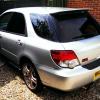
March 12, 201511 yr Hi all, just wanted to say hi. I currently have an Impreza WRX blobeye wagon. This is my second Impreza after having a UK classic turbo a few years ago. I have about 20 years experience in the motor trade including extensive mechanical knowledge. I'm always learning so may ask for advice at some point and like wise if I can help others then I'm happy to do so. I will upload car pics very soon. many thanks Dan
March 12, 201511 yr Hi Dan welcome to S.O.C Feel free to ask away mate all friendly on here so nothing to worry about but if you have 20years you out qualify me by miles lol. But I can swear at my car and throw tools around when thing's go wrong which is nearly every time I start to do anything. [emoji1] look forward to the picture's [emoji106] I like picture's just how I like my book's [emoji6]
March 12, 201511 yr Author Thank you all, Yes throwing tools around does help at times I will upload pics when car is clean again! Hate this weather for getting car filthy all the time. Hope to meet everyone before too long at an event.
March 12, 201511 yr Well event's so far we've signed up for are all in the events thread below the main forum page. And definitely best way to get to meet member's [emoji106] And I know exactly what you mean mate. We had one nice day here I spent 5 hour's giving it a good clean and wax next day it was almost to the point I shouldn't have bothered [emoji22]



Create an account or sign in to comment