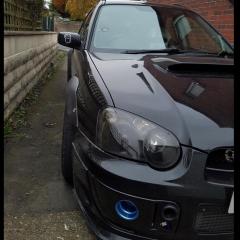
May 7, 20169 yr Hi all. I need some help. Just had my intake manifold off to get it painted and after putting it back together car is broken :( It is in limp mode now, won't rev above 4.5k rpm and I think speedo is dead. Checked vss wiring and it's connected (I didn't unplug it). Battery was off for the night so ECU should be re-set. Car was mapped to all the mods I have so don't think that's a problem. I'm 99.9% sure I connected all as I should. I'm just doing another ECU reset but in the meantime anyone got any ideas? Thanks Edit: 2003 blob wrx, mods: tgv deleted, maf mapped out, VF35, hawk blue injectors, full decat, Sti clocks, mapped by Andy Carr about 2 months ago
May 7, 20169 yr I had a similar problem- the cables under the steering column that need to be connected for remapping had slightly been touching and put the car in 'test mode' but that did flash the cel. Only advice I can offer is make sure everything is back the way it was, if it was working before it's highly unlikely it's something broken at the same time Sent from the moon using telepathy
May 7, 20169 yr Author Thanks. Well it seems that the second ECU reset helped and now all is OK :) Happy days :D



Create an account or sign in to comment