Do Not Sell My Personal Information Jump to content
View in the app

A better way to browse. Learn more.

Subaru Owners Club UK | Subaru Forums

A full-screen app on your home screen with push notifications, badges and more.

To install this app on iOS and iPadOS
  1. Tap the Share icon in Safari
  2. Scroll the menu and tap Add to Home Screen.
  3. Tap Add in the top-right corner.
To install this app on Android
  1. Tap the 3-dot menu (⋮) in the top-right corner of the browser.
  2. Tap Add to Home screen or Install app.
  3. Confirm by tapping Install.

Featured Replies

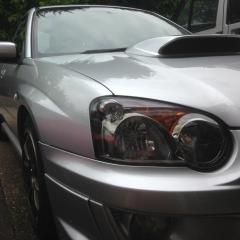
Hey guys, I have this strange issue with my 03 WRX... Sometimes when I lock the car using the key fob, the indicators will flash but the drivers side ones will all just stay illuminated. They stay illuminated even if I unlock the car again and start the car, the left indicator stalk will work fine but the right just stays stuck and the only way round it is to keep unlocking and locking the car again and turning the engine on and off.

It happened a few times since I bought the car a month ago but seems to be getting more frequent and as you can imagine, is becoming a bit of a pain!

Any suggestions on why this is happening and how to solve the issue please?

Dave.


Create an account or sign in to comment


Background Picker
Customize Layout

Configure browser push notifications

Chrome (Android)
  1. Tap the lock icon next to the address bar.
  2. Tap Permissions → Notifications.
  3. Adjust your preference.
Chrome (Desktop)
  1. Click the padlock icon in the address bar.
  2. Select Site settings.
  3. Find Notifications and adjust your preference.