Do Not Sell My Personal Information Jump to content
View in the app

A better way to browse. Learn more.

Subaru Owners Club UK | Subaru Forums

A full-screen app on your home screen with push notifications, badges and more.

To install this app on iOS and iPadOS
  1. Tap the Share icon in Safari
  2. Scroll the menu and tap Add to Home Screen.
  3. Tap Add in the top-right corner.
To install this app on Android
  1. Tap the 3-dot menu (⋮) in the top-right corner of the browser.
  2. Tap Add to Home screen or Install app.
  3. Confirm by tapping Install.

Featured Replies

Hi, I've been in out of this forum for a while now and picked up some really good information and tips on the way. Just wanted to say thanks to everybody who have helped me - particularly on the issue of a new clutch a while back.

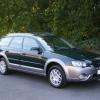
I've just gone over to the dark side and bought a VW, even though the Outback is still running OK at 182k miles. I'll be putting it up on the "for sale" area once I have some decent pictures (its filthy at the moment but cleans up pretty nice).. If anybody is interested I'll be very happy for a forum member to take it off my hands for a fair price - you guys know about these cars .better than most. 

Thanks again for your help!


Gary

Outback 10 Dec 1.jpg


Create an account or sign in to comment


Background Picker
Customize Layout

Configure browser push notifications

Chrome (Android)
  1. Tap the lock icon next to the address bar.
  2. Tap Permissions → Notifications.
  3. Adjust your preference.
Chrome (Desktop)
  1. Click the padlock icon in the address bar.
  2. Select Site settings.
  3. Find Notifications and adjust your preference.