July 30, 20178 yr Kartboy quick shift for 6 speed not been used that long plus car was only really used at weekends. Kartboy bushes still brand new in packaging. I'll get photos up tonight. £130 delivered
August 1, 20178 yr what years does it fit. did you have it on an sti. why have you taken off Sent from my SM-J320FN using Tapatalk
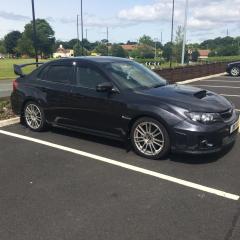
August 1, 20178 yr Author Hi mate, I had it on a 2012 Sti. I was told it will fit all 6 speeds. I just sold car and it was still basically new so took it off and never fitted the bushes.
August 7, 20178 yr do you still have the instructions for fitting it. Sent from my SM-J320FN using Tapatalk
August 7, 20178 yr Author No I don't, don't think I got any but I used a link. It's pretty straight forward. Maybe takes an hour at max.
August 8, 20178 yr Not sure how to fit the bushes if im honest as never used them. sorry if I am being a pain but the official pictures shows the lifter to but it in reverse. have you got that part. did you notice a difference with it fitted appreciate the bushes will improve the changes. Sent from my SM-J320FN using Tapatalk
August 8, 20178 yr Author This is everything I have, yeh you do notice a difference but I think there's meant to be an even bigger difference I once the bushes are fitted.



Create an account or sign in to comment