Do Not Sell My Personal Information Jump to content
View in the app

A better way to browse. Learn more.

Subaru Owners Club UK | Subaru Forums

A full-screen app on your home screen with push notifications, badges and more.

To install this app on iOS and iPadOS
  1. Tap the Share icon in Safari
  2. Scroll the menu and tap Add to Home Screen.
  3. Tap Add in the top-right corner.
To install this app on Android
  1. Tap the 3-dot menu (⋮) in the top-right corner of the browser.
  2. Tap Add to Home screen or Install app.
  3. Confirm by tapping Install.

Featured Replies

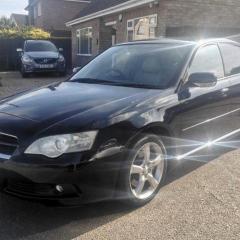
Does anyone have any experience/knowledge of the cruise control system on a Legacy BL?

It’s been suggested that it’s simply a matter of adding the control stalk and connecting to the brake light switch?

Any info would be greatly appreciated


I'm not sure about your model, but on my 2009 2.0 R Impreza it was just a matter of changing the steering wheel that had the buttons, the connector was there, I just plugged it in and the cruise was working just like that. Hope it helps!

  • 3 weeks later...

As with most cars that don’t have cruise control it’s normally there as they wouldn’t make lists of different harnesses they use the same one for all models.

Create an account or sign in to comment


Background Picker
Customize Layout

Configure browser push notifications

Chrome (Android)
  1. Tap the lock icon next to the address bar.
  2. Tap Permissions → Notifications.
  3. Adjust your preference.
Chrome (Desktop)
  1. Click the padlock icon in the address bar.
  2. Select Site settings.
  3. Find Notifications and adjust your preference.