Do Not Sell My Personal Information Jump to content
View in the app

A better way to browse. Learn more.

Subaru Owners Club UK | Subaru Forums

A full-screen app on your home screen with push notifications, badges and more.

To install this app on iOS and iPadOS
  1. Tap the Share icon in Safari
  2. Scroll the menu and tap Add to Home Screen.
  3. Tap Add in the top-right corner.
To install this app on Android
  1. Tap the 3-dot menu (⋮) in the top-right corner of the browser.
  2. Tap Add to Home screen or Install app.
  3. Confirm by tapping Install.

Mattybr5@MB Developments breaker of Blob STi cars etc

Featured Replies

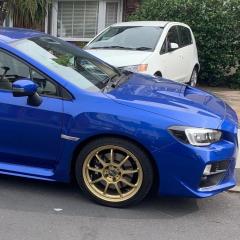
Saw this on my local club forum, thought you blobbies would be interested.


Can recommend Mattybr5@MB Developments whom can be found on scoobynet is a good source of newage parts

He can be found among others, breaking newage STi cars mostly on S/net http://bbs.scoobynet.com/full-cars-breaking-for-spares-438/

used him a few times so far, plan to acquire my blob facelift stuff mostly via him, he wraps stuff well and is prompt in dispatch after payment, he accepts paypal.

BASED 2MINUTES OFF JUNCTION 10 M6 WALSALL JUNCTION

9AM TILL 5pmMON/FRI/9AM TILL 2PM SAT
USED/NEW PARTS HOTLINE 07785942237

Testimonials / Praise from other happy punters:


I can also vouch for him bought a few bits off him so far and everyone has been great and really well packaged :D


  • 1 year later...

Only bloke I'll trust other than Martin at Sheffield Subaru Service :) 

Create an account or sign in to comment


Background Picker
Customize Layout

Configure browser push notifications

Chrome (Android)
  1. Tap the lock icon next to the address bar.
  2. Tap Permissions → Notifications.
  3. Adjust your preference.
Chrome (Desktop)
  1. Click the padlock icon in the address bar.
  2. Select Site settings.
  3. Find Notifications and adjust your preference.