May 4, 201412 yr Ok the car drives fine when I give it proper welly the cell light comes on and stays on but the car still drives fine I have done a lot of research on this and have found out about bigeyes and cel lights lol lol ahhhhhh Well I know it's not the nps sensor that is common because this was changed last year on service records And tere is no codes for misfires I have a code on my memoscan (good bit of kit) Po340 generic camshaft position sensor a-bank 1 circuit malfunction , now is this the sensor under the oil dipstick going into the cam cover on top of the engine ??? This only happens on very high revs I have heard that this can also be down to a bad earth?? I've also read that subaru made a bad batch of these? And are the £24 camshaft sensors on eBay any good for the job sorry so many questions I have erased the code only happens if I give it the beans but drives fine any help would be appreciated ....
May 4, 201412 yr I will try look later mate im on my phone at the minute one of the reasons I didnt reply 1st time alot to take in on the 1st post lol
May 10, 201412 yr Author Just an update all sorted got the 24 pound one off eBay installed it an it's all good l,been fine all day no light lol
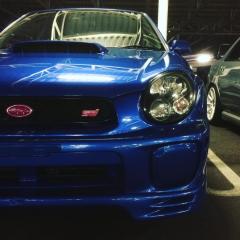
May 12, 201412 yr I thought I would hop into this thread since I'm having the same problem. I think I'm going to try two solutions the first being the replacment of the sensor, if we assume that the bad batch was made then it's fair to assume this would fix the issue. If that fails then it's onto a grounding kit to bolster what's already there and perhaps help with what is in principle just a 'red herring'. It'd be interesting to compare notes with you on this chap since we both own a bug eye wrx :) I know the sensor fixed yours but you never know :)
May 13, 201412 yr Author Quick update been in for few days now done maybe 70miles of hard driving and normal still no light ,car fills abit better to on fuel So hopefully all sorted .pluged in memoscan just to check everything and all good Did you get my little right up and picture on your thread ? When I put the sensor in I cleared the code on the memoscan and I done a ecu reset ( disconnect the battery for half hour ) and bingo all sorted no cel Let me know how it goes.
May 13, 201412 yr Quick update been in for few days now done maybe 70miles of hard driving and normal still no light ,car fills abit better to on fuel So hopefully all sorted .pluged in memoscan just to check everything and all good Did you get my little right up and picture on your thread ? When I put the sensor in I cleared the code on the memoscan and I done a ecu reset ( disconnect the battery for half hour ) and bingo all sorted no cel Let me know how it goes. Yeah mate I saw that. Thought I would track this thread as well though for reference. I'll be doing the same myself so time will tell if this is a permanent fix or not :) It's good that yours is working well, it's reassuring that this may actually solve the problem :-)



Create an account or sign in to comment