Do Not Sell My Personal Information Jump to content
View in the app

A better way to browse. Learn more.

Subaru Owners Club UK | Subaru Forums

A full-screen app on your home screen with push notifications, badges and more.

To install this app on iOS and iPadOS
  1. Tap the Share icon in Safari
  2. Scroll the menu and tap Add to Home Screen.
  3. Tap Add in the top-right corner.
To install this app on Android
  1. Tap the 3-dot menu (⋮) in the top-right corner of the browser.
  2. Tap Add to Home screen or Install app.
  3. Confirm by tapping Install.

Featured Replies

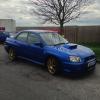
hi guys im just wondering if anyone can help me with how many headlight types the blobeye comes with? mine are crystal looking light but im sure iv seen some that are like a dark shadowed chrome i like these and wondered how to find them.


thanks


Might be later model version. I think a lot of people maybe speak with Jonnyb < (speaking of which not seen him for awhile) sure it was he had done it. But they remove the glass in the oven and spray the inside dark/black. 

  • Author

yea iv read up on de tango and doing the insides black but i was after the shadowed chrome look not black. wasnt sure if they changed the lights at all on the blobeyes

I'm not sure if they did or not the 55 plate in the garage had the same as you but now have after market ones on.

Not sure what the shadowed chrome look looks like. Got any pics?


Create an account or sign in to comment


Background Picker
Customize Layout

Configure browser push notifications

Chrome (Android)
  1. Tap the lock icon next to the address bar.
  2. Tap Permissions → Notifications.
  3. Adjust your preference.
Chrome (Desktop)
  1. Click the padlock icon in the address bar.
  2. Select Site settings.
  3. Find Notifications and adjust your preference.