
Skip to content
View in the app

A better way to browse. Learn more.

Subaru Owners Club UK | Subaru Forums

A full-screen app on your home screen with push notifications, badges and more.

To install this app on iOS and iPadOS
  1. Tap the Share icon in Safari
  2. Scroll the menu and tap Add to Home Screen.
  3. Tap Add in the top-right corner.
To install this app on Android
  1. Tap the 3-dot menu (⋮) in the top-right corner of the browser.
  2. Tap Add to Home screen or Install app.
  3. Confirm by tapping Install.

skip92

Members
  • Joined

  • Last visited

Everything posted by skip92

  1. Cheers for replying I didn’t know that there was two types. And truth be told I was hoping that another model would have had an 18 so I could bought the spare for that but I will look into the bigger tyre route
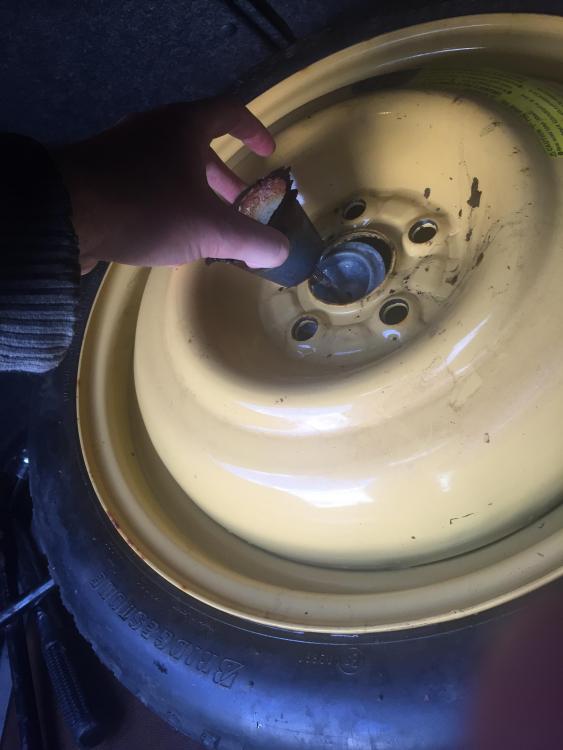
  2. Hey all I’m fairly new to the Impreza world having just bought my 02 bugeye wrx around July and I’m looking for advice on where the best place is to get an 18 inch space saver or what other companies (eg:vw) wheels with the same 5x100 pattern would work as I recently discovered that my spare is the standard 16 inch space saver and came out like this (see attached) thankfully I managed to get to a tire shop on the tire with the nail in but I’d much rather not do that again. Any advice will be appreciated thanks
Background Picker
Customize Layout

Account

Navigation

Search

Search

Configure browser push notifications

Chrome (Android)
  1. Tap the lock icon next to the address bar.
  2. Tap Permissions → Notifications.
  3. Adjust your preference.
Chrome (Desktop)
  1. Click the padlock icon in the address bar.
  2. Select Site settings.
  3. Find Notifications and adjust your preference.