scott38
Members
-
Joined
-
Last visited
-
Ridiculously expensive for what it is though, Found one online today for around the £280 mark. I'm guessing it sucks like a dutch h00ker when you plant your foot down :)
-
Not yet, that's the plan though. K&N Typhoon at some point soon :)
-
Hi, thanks for the quick reply :) It doesn't stall but just feels kinda 'lumpy', like it's not getting enough fuel or it's going to stall but then the ecu takes over and stops it. Crap description eh lol. It might be a characteristic of this engine perhaps but with only ever driving Hondas it's not something I'm used to. I find it odd that it ticks over at 500rpm too, I'm guessing that's normal too. I'll try to stop worrying about unless it starts to stall. Thanks for the info on the clutch, I'll start back at the gym to work on my left leg lol!
-
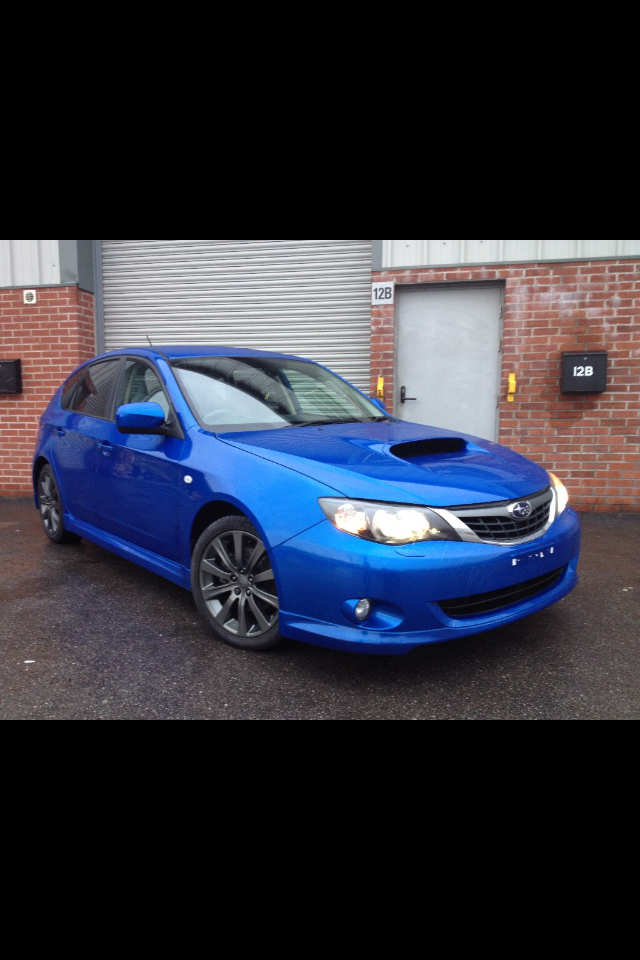
Sorry forgot to mention it's an Impreza, don't know if that makes a difference but thought I better add that.
-
Hi guys, bought my first ever subaru so made it a 2008 wrx and because I've always owned Hondas I'm not used to some characteristics of this car. Is the following normal- Clutch pedal is harder to press down than any car I've ever driven before and when the car is idling it's almost like there is a flat spot? Kind of erratic idling? I was thinking that this was because of the boxer engine but it's all new to me and was wondering if you guys could put my mind at ease a bit. Other than that it brings a Christmas morning grin to my face everytime I get in it :)