Ianhomer
Members
-
Joined
-
Last visited
-
-
Hi Decided to start doing oil changes my self at home. The car is a 2.0 litre jdm hawkeye. How many litres does the car take. thanks.
-
Hi just a follow up car sailed through emissions and mot. cheers.
-
Thank you very much for taking the time to reply. very helpful. cheers.
-
Hi all Would a jdm sti hawkeye 2005 still mapped for Japanese fuel pass a uk emissions mot test thankyou
-
Hi all wondering if there is a fuse under the bonnet which I can remove when the car is sat for added security. thanks
-
Thanks yes think so It is a Hawkeye jdm but 2005 June Thanks jay I’ll get them ordered maybe pack out the bit that mudflaps screw to stop them flexing and cracking 👍🏻
-
Took the mud flaps off looks like it’s the full liner you have to replace
-
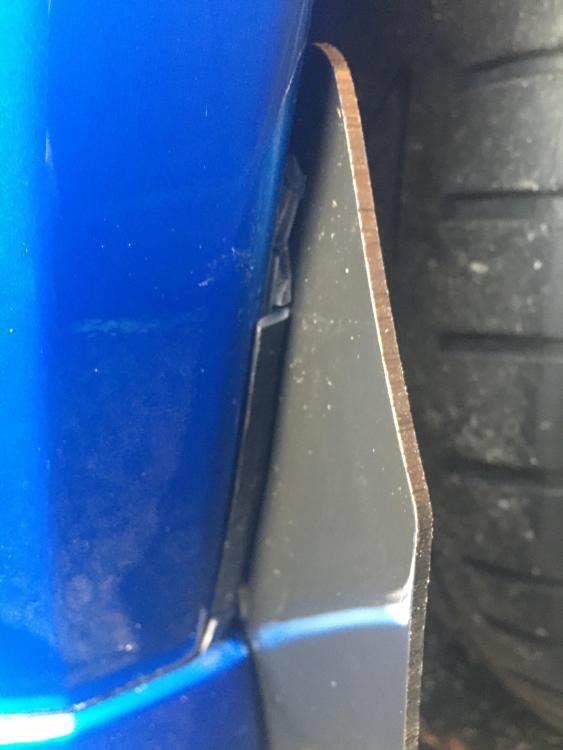
Hi happy new year everyone I was wondering if anyone could tell me what the trim on front arch where the mud flaps screw to is called please. broke when I tightened the flaps as in picture. thanks
-
To brim and use stabiliser Or half full or less winter storage sti
-
Lanoguard just used for first time. Watch reviews on u tube try it 👍🏻
-
Best way to shut the bonnet so you don’t dent it ?Anybody seen these bumper lights before.And what are they for police or ex police?