Do Not Sell My Personal Information Jump to content
View in the app

A better way to browse. Learn more.

Subaru Owners Club UK | Subaru Forums

A full-screen app on your home screen with push notifications, badges and more.

To install this app on iOS and iPadOS
  1. Tap the Share icon in Safari
  2. Scroll the menu and tap Add to Home Screen.
  3. Tap Add in the top-right corner.
To install this app on Android
  1. Tap the 3-dot menu (⋮) in the top-right corner of the browser.
  2. Tap Add to Home screen or Install app.
  3. Confirm by tapping Install.

st1nky4rse

Members
  • Joined

  • Last visited

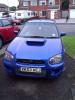
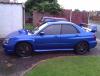
  1. hi my name is daz, i live just north of leicester. owned my 03 sti from march and loving it. spent a bit of mony getting it sorted, new clutch witch i fitted on my driveway, not recomended lol. new timing belt witch i fitted myself, easy job if u have an extra pair of hands, my son came in handy for that. had my wheels re-vamped. new drilled and slotted disc all round with yellow stuff pads. just need some fog/driving lamps or covers for it as it looks unfinished with 2 holes at the front,they are like rocking horse poo though and i have run out of money now. enclosed a couple of pics.
  2. go to your local subaru dealer, they should be able to give you your pin mate :-)

Background Picker
Customize Layout

Account

Navigation

Search

Configure browser push notifications

Chrome (Android)
  1. Tap the lock icon next to the address bar.
  2. Tap Permissions → Notifications.
  3. Adjust your preference.
Chrome (Desktop)
  1. Click the padlock icon in the address bar.
  2. Select Site settings.
  3. Find Notifications and adjust your preference.