
Do Not Sell My Personal Information Jump to content
View in the app

A better way to browse. Learn more.

Subaru Owners Club UK | Subaru Forums

A full-screen app on your home screen with push notifications, badges and more.

To install this app on iOS and iPadOS
  1. Tap the Share icon in Safari
  2. Scroll the menu and tap Add to Home Screen.
  3. Tap Add in the top-right corner.
To install this app on Android
  1. Tap the 3-dot menu (⋮) in the top-right corner of the browser.
  2. Tap Add to Home screen or Install app.
  3. Confirm by tapping Install.

Shelleymarie

Members
  • Joined

  • Last visited

  1. Lol morning kay 😆
  2. Shelleymarie changed their profile photo
  3. I tend to kick the hondas too but always get the knock knock jokes 😏 Everyone tried to put me off getting the scooby due to being money pits but the gsi was always broken. I shall post updates not starting till after christmas due to having the little ones.
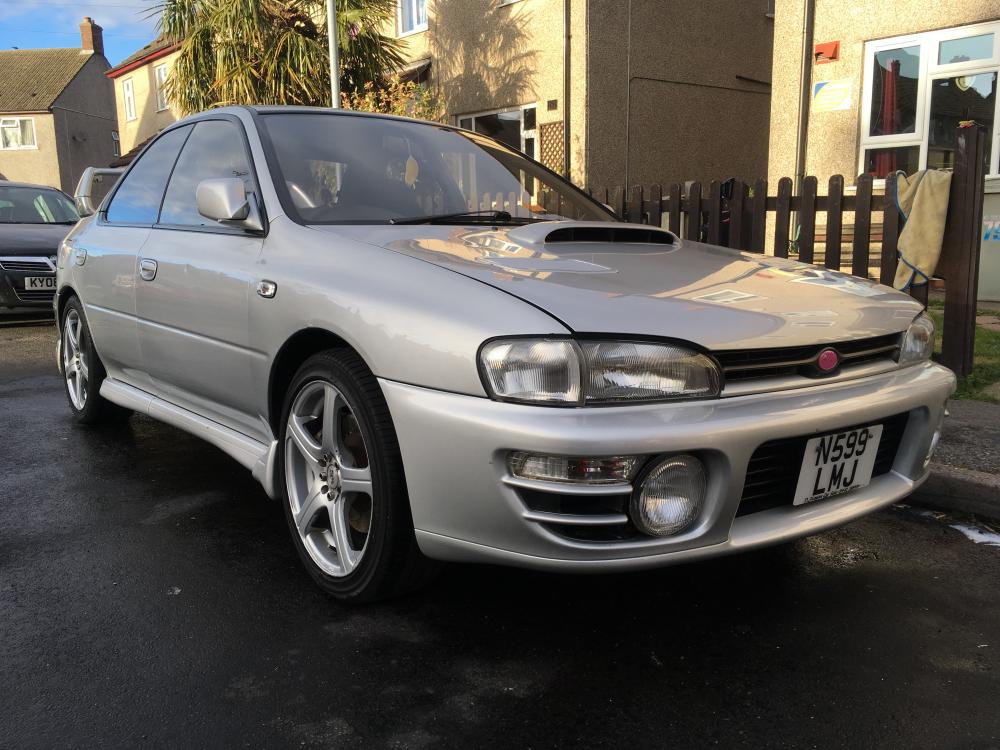
  4. Hello lots and lots of plans for her but being new to them ive got lots of learning to do too. Ive come from the Vauxhall Gsi side. Currently have an Sti fully closed deck block, TD05 turbo. My aims for it are remap, all new hosing, and i need to get rid of the awful wheels and rear lights aswell.
  5. Good morning all, Im Shelley and new to the world of subaru, i have a classic wrx impreza version 2.

Background Picker
Customize Layout

Configure browser push notifications

Chrome (Android)
  1. Tap the lock icon next to the address bar.
  2. Tap Permissions → Notifications.
  3. Adjust your preference.
Chrome (Desktop)
  1. Click the padlock icon in the address bar.
  2. Select Site settings.
  3. Find Notifications and adjust your preference.
