




Do Not Sell My Personal Information Jump to content
View in the app

A better way to browse. Learn more.

Subaru Owners Club UK | Subaru Forums

A full-screen app on your home screen with push notifications, badges and more.

To install this app on iOS and iPadOS
  1. Tap the Share icon in Safari
  2. Scroll the menu and tap Add to Home Screen.
  3. Tap Add in the top-right corner.
To install this app on Android
  1. Tap the 3-dot menu (⋮) in the top-right corner of the browser.
  2. Tap Add to Home screen or Install app.
  3. Confirm by tapping Install.

ogden936

Members
  • Joined

  • Last visited

Everything posted by ogden936

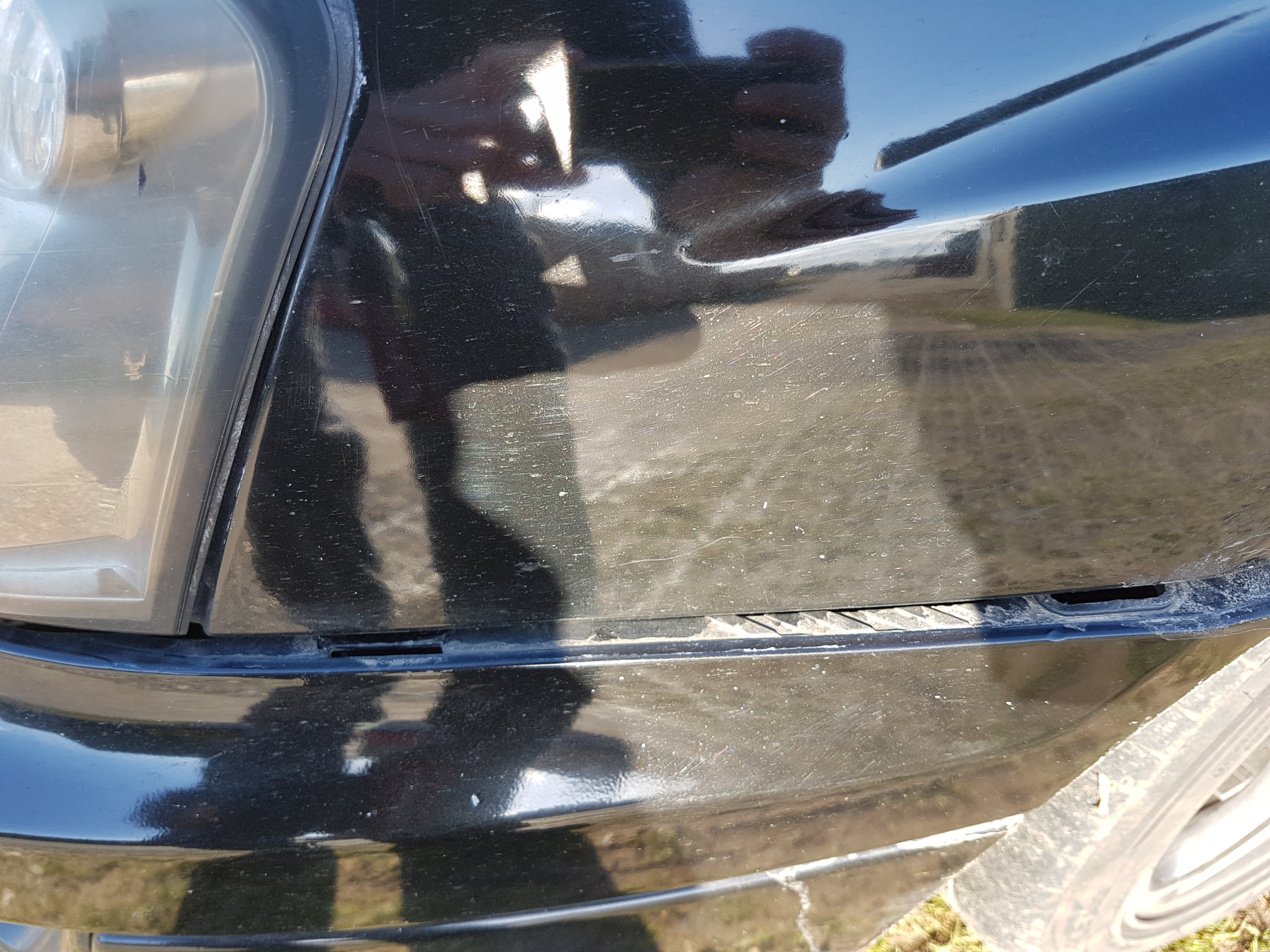
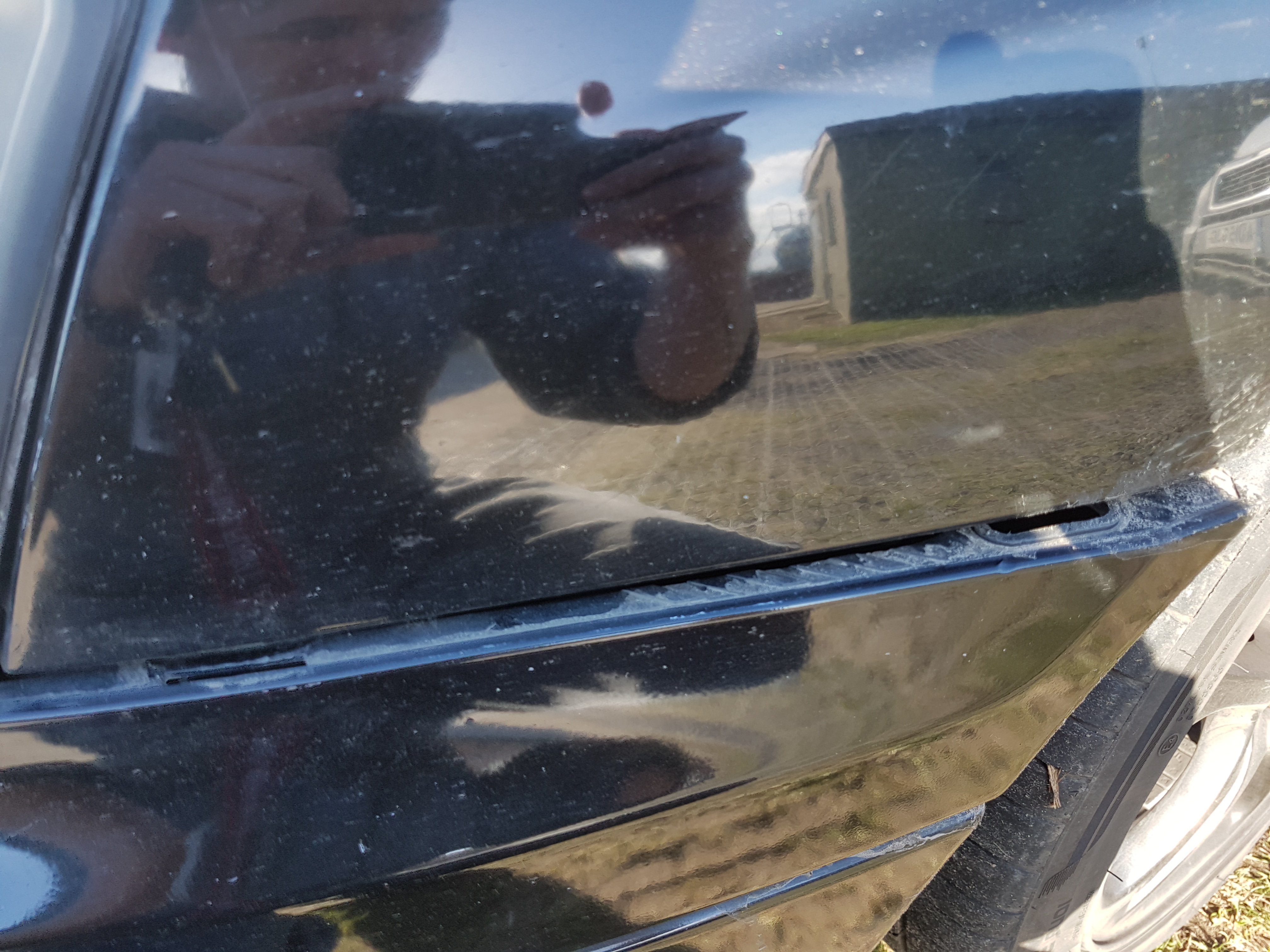
  1. I've attached two photos, hopefully you can see the spaces for where the two attachments should be. Any help will be hugely appreciated!
  2. IL get a photo of where the clip is supposed to be tomorrow morning and get it uploaded. I have a feeling it might actually be a bolt, just don't seem to be able to find it anywhere!
  3. Hi all, I'm looking for a part, and I don't know why, but I can't seem to find it anywhere at all online. I got a pheasant in the Scooby, which smashed up one of the front lights, and caused me to lose a few clips from the front bumper. Most seem to be the standard push clip type, but I am missing one, sits just below the headlights, the push fit type don't seem to work, but I can't find any mention of anything else online! Any one able to help? Will be hugely appreciated!
Background Picker
Customize Layout

Configure browser push notifications

Chrome (Android)
  1. Tap the lock icon next to the address bar.
  2. Tap Permissions → Notifications.
  3. Adjust your preference.
Chrome (Desktop)
  1. Click the padlock icon in the address bar.
  2. Select Site settings.
  3. Find Notifications and adjust your preference.