Skip to content
View in the app

A better way to browse. Learn more.

Subaru Owners Club UK | Subaru Forums

A full-screen app on your home screen with push notifications, badges and more.

To install this app on iOS and iPadOS
  1. Tap the Share icon in Safari
  2. Scroll the menu and tap Add to Home Screen.
  3. Tap Add in the top-right corner.
To install this app on Android
  1. Tap the 3-dot menu (⋮) in the top-right corner of the browser.
  2. Tap Add to Home screen or Install app.
  3. Confirm by tapping Install.

Tez

Members
  • Joined

  • Last visited

Everything posted by Tez

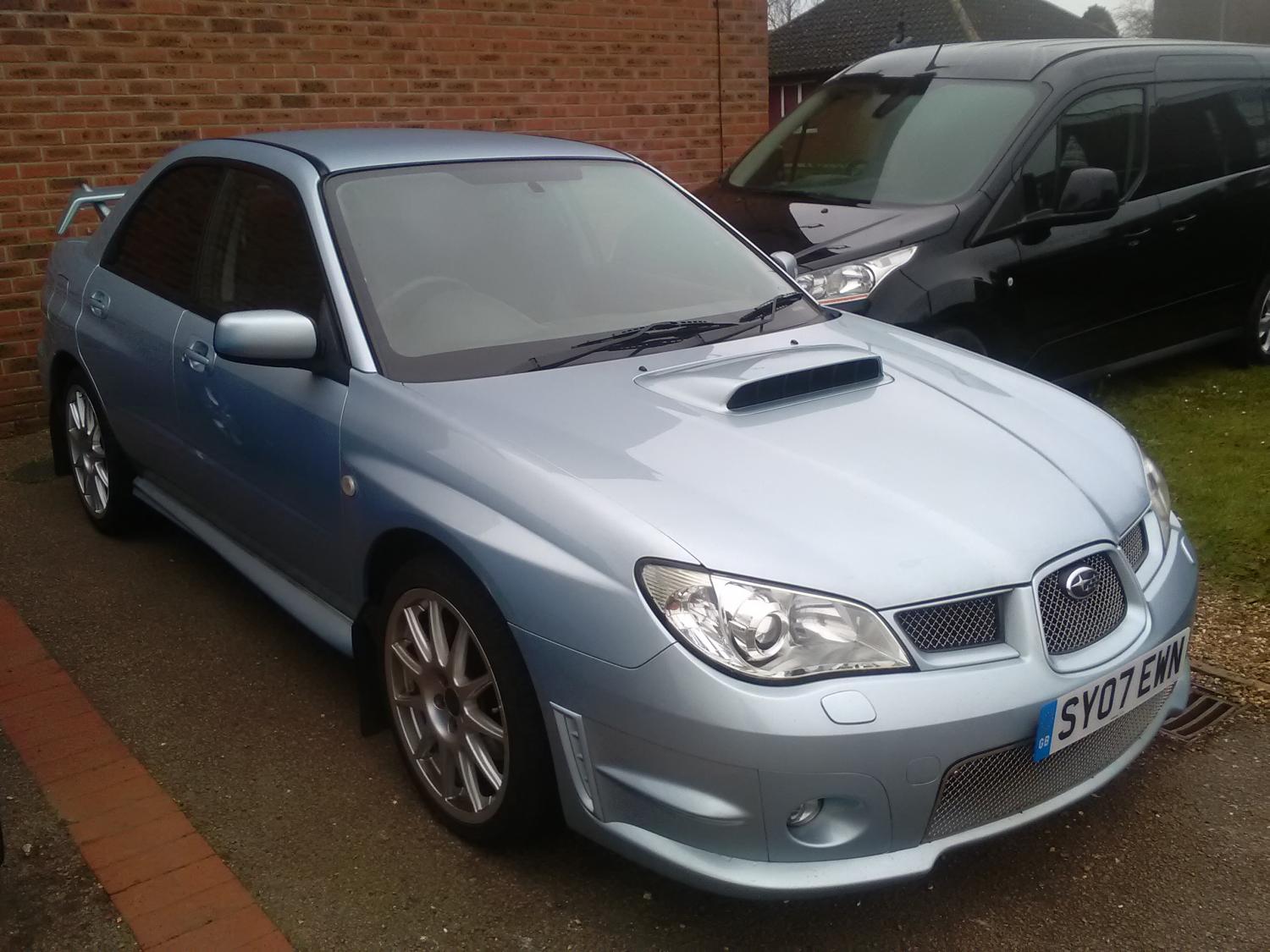
  1. Just a quick hello I thought I'd already posted a thread on here but I guess it didn't work lol! My husband has just bought a Hawkeye WRX Prodrive which I get to drive everyday. I absolutely love it, the school run is never going to be boring again! Anyone else on here around Norfolk? Would love to meet some more scooby owners
  2. Absolutely love the classic!
  3. That's a gorgeous car! Sadly I couldn't find one we could afford so got a Hawkeye instead!
  4. Tez replied to Rps's topic in Junk Room
    My daughter would agree with you

Background Picker
Customize Layout

Account

Navigation

Search

Search

Configure browser push notifications

Chrome (Android)
  1. Tap the lock icon next to the address bar.
  2. Tap Permissions → Notifications.
  3. Adjust your preference.
Chrome (Desktop)
  1. Click the padlock icon in the address bar.
  2. Select Site settings.
  3. Find Notifications and adjust your preference.