Do Not Sell My Personal Information Jump to content
View in the app

A better way to browse. Learn more.

Subaru Owners Club UK | Subaru Forums

A full-screen app on your home screen with push notifications, badges and more.

To install this app on iOS and iPadOS
  1. Tap the Share icon in Safari
  2. Scroll the menu and tap Add to Home Screen.
  3. Tap Add in the top-right corner.
To install this app on Android
  1. Tap the 3-dot menu (⋮) in the top-right corner of the browser.
  2. Tap Add to Home screen or Install app.
  3. Confirm by tapping Install.

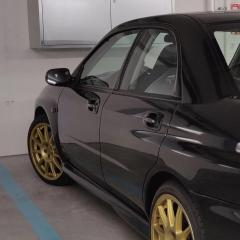
There!... Clean and clear... xD

Featured Replies


I cant literally stop laughing... xD


  • Author

Ah!... and even parked... xD

I worry what you watch on the internet I really do. I have some good virus free !Removed! sites you can have  :lol:

  • Author

xD it wont be funnier than that video... xD hahahahaha 

Oh I don't know I may have to send you some !Removed! blooper links. I've had tears streaming down my face from some of them  :lol:


  • Author

even better, post them... xD

Will be a PM mate when my missis isn't within viewing distance ;) 

Oh yeah forgot about this :) 

  • Author

And we should never forget this one either... xD


Create an account or sign in to comment

Background Picker
Customize Layout

Account

Navigation

Search

Configure browser push notifications

Chrome (Android)
  1. Tap the lock icon next to the address bar.
  2. Tap Permissions → Notifications.
  3. Adjust your preference.
Chrome (Desktop)
  1. Click the padlock icon in the address bar.
  2. Select Site settings.
  3. Find Notifications and adjust your preference.