Do Not Sell My Personal Information Jump to content
View in the app

A better way to browse. Learn more.

Subaru Owners Club UK | Subaru Forums

A full-screen app on your home screen with push notifications, badges and more.

To install this app on iOS and iPadOS
  1. Tap the Share icon in Safari
  2. Scroll the menu and tap Add to Home Screen.
  3. Tap Add in the top-right corner.
To install this app on Android
  1. Tap the 3-dot menu (⋮) in the top-right corner of the browser.
  2. Tap Add to Home screen or Install app.
  3. Confirm by tapping Install.

Featured Replies

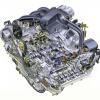
hi i am a mid life crisis living in milton keynes. born in 69, and an east african asian. i grew up with epic stories of my families driving subarus in uganda in the late 60s and early 70s. the most epic being how idi amin's military turned up at my dads house asking to take my uncles new subaru....ever since that day i wanted one. more than 40 years later i finally got my own. a legacy outback h6 3.0rn (i did say mid life crisis) my wife doesnt know about the fuel consumption or the tax bracket. i live in fear everyday but it is worth it when i hear that flat 6 roar....


  • 4 weeks later...

For a Second there I thought I was reading an online dating Bio ;)

Welcome mate.. Pfft midlife crisis.. You just starting to live life you mean :D

Create an account or sign in to comment


Background Picker
Customize Layout

Configure browser push notifications

Chrome (Android)
  1. Tap the lock icon next to the address bar.
  2. Tap Permissions → Notifications.
  3. Adjust your preference.
Chrome (Desktop)
  1. Click the padlock icon in the address bar.
  2. Select Site settings.
  3. Find Notifications and adjust your preference.