Do Not Sell My Personal Information Jump to content
View in the app

A better way to browse. Learn more.

Subaru Owners Club UK | Subaru Forums

A full-screen app on your home screen with push notifications, badges and more.

To install this app on iOS and iPadOS
  1. Tap the Share icon in Safari
  2. Scroll the menu and tap Add to Home Screen.
  3. Tap Add in the top-right corner.
To install this app on Android
  1. Tap the 3-dot menu (⋮) in the top-right corner of the browser.
  2. Tap Add to Home screen or Install app.
  3. Confirm by tapping Install.

27th Portsdown Hill

Featured Replies

There's been a BIG up take on the Portsdown Hill Portsmouth meeting starts at 7pm, but if you know the area get there sooner due to parking!!!

It will be a BIG scene, Scoobies / Jap cars / Bikes the lot

ooh and a really good burger place up there too!!!!! :D

If you want to convey up with us we will be meeting before had at the BP garage in Arundel around 5pm (ish)

Let me know if you want to team up and it will be good to get some pics and a load of us together!!!

Speak and see ya soon

  • 2 weeks later...

  • Author

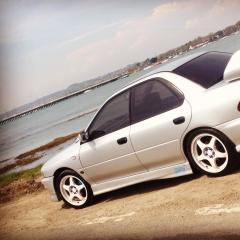
A great turnout for those who came along, we had x6 of us who went along but in total 273 cars were there, between the x3 sites and all over the banks/grass the lot!!! A great night all in all, until the

post-4439-0-26439800-1443542148_thumb.jp

post-4439-0-44899300-1443542160_thumb.jp

post-4439-0-96783000-1443542170_thumb.jp

post-4439-0-70319700-1443542181_thumb.jp

post-4439-0-05167200-1443542193_thumb.jp

post-4439-0-81691000-1443542226_thumb.jp

Nice job mate :) Will get some of the picture on our facebook wall :D 

  • Author

Was very selective on pics :D

Jap cars or Vauxhalls?? Jap cars or vauxhalls??? PMSL

Good job don't need them in the picture.

[emoji6] [emoji106]


Create an account or sign in to comment


Background Picker
Customize Layout

Account

Navigation

Search

Configure browser push notifications

Chrome (Android)
  1. Tap the lock icon next to the address bar.
  2. Tap Permissions → Notifications.
  3. Adjust your preference.
Chrome (Desktop)
  1. Click the padlock icon in the address bar.
  2. Select Site settings.
  3. Find Notifications and adjust your preference.