Do Not Sell My Personal Information Jump to content
View in the app

A better way to browse. Learn more.

Subaru Owners Club UK | Subaru Forums

A full-screen app on your home screen with push notifications, badges and more.

To install this app on iOS and iPadOS
  1. Tap the Share icon in Safari
  2. Scroll the menu and tap Add to Home Screen.
  3. Tap Add in the top-right corner.
To install this app on Android
  1. Tap the 3-dot menu (⋮) in the top-right corner of the browser.
  2. Tap Add to Home screen or Install app.
  3. Confirm by tapping Install.

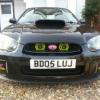
Genuine Blobeye fog surrounds black colour

Featured Replies

No longer needed as i have sold my wrx now. In decent condition

£50 delivered

c9a7505beda91f652cfafafb35560b54.jpg

df562527c8fab7dd40369353801082eb.jpg

b90da6d1720611d0f1f1eb41052e1545.jpg

0a515858e0dc81560b0ac8dacd358718.jpg

55cc3025a3679a2c7245b69adab4ecdc.jpg

Sent from my GT-N7105 using Tapatalk


Create an account or sign in to comment


Background Picker
Customize Layout

Account

Navigation

Search

Configure browser push notifications

Chrome (Android)
  1. Tap the lock icon next to the address bar.
  2. Tap Permissions → Notifications.
  3. Adjust your preference.
Chrome (Desktop)
  1. Click the padlock icon in the address bar.
  2. Select Site settings.
  3. Find Notifications and adjust your preference.