Do Not Sell My Personal Information Jump to content
View in the app

A better way to browse. Learn more.

Subaru Owners Club UK | Subaru Forums

A full-screen app on your home screen with push notifications, badges and more.

To install this app on iOS and iPadOS
  1. Tap the Share icon in Safari
  2. Scroll the menu and tap Add to Home Screen.
  3. Tap Add in the top-right corner.
To install this app on Android
  1. Tap the 3-dot menu (⋮) in the top-right corner of the browser.
  2. Tap Add to Home screen or Install app.
  3. Confirm by tapping Install.

Featured Replies

Hi all,

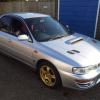
so I recently fitted a new sound system into my classic Impreza. Annoyingly though I have somehow managed to stop my rear lights working. Brake lights are fine in fact all other lights work fine. Does anyone know if there is a connection behind the head unit I may have got wrong and if so what colour wire I should be looking for when I take it out again. I'm sure it won't take forever to work out but if I could get a quick answer that would speed things along. I've been meaning to write a post about the install but will wait until the boot build is totally finished. 

Ps it's not a fuse  

Thanks everyone


Create an account or sign in to comment


Background Picker
Customize Layout

Configure browser push notifications

Chrome (Android)
  1. Tap the lock icon next to the address bar.
  2. Tap Permissions → Notifications.
  3. Adjust your preference.
Chrome (Desktop)
  1. Click the padlock icon in the address bar.
  2. Select Site settings.
  3. Find Notifications and adjust your preference.