
Do Not Sell My Personal Information Jump to content
View in the app

A better way to browse. Learn more.

Subaru Owners Club UK | Subaru Forums

A full-screen app on your home screen with push notifications, badges and more.

To install this app on iOS and iPadOS
  1. Tap the Share icon in Safari
  2. Scroll the menu and tap Add to Home Screen.
  3. Tap Add in the top-right corner.
To install this app on Android
  1. Tap the 3-dot menu (⋮) in the top-right corner of the browser.
  2. Tap Add to Home screen or Install app.
  3. Confirm by tapping Install.

F4jof

Members
  • Joined

  • Last visited

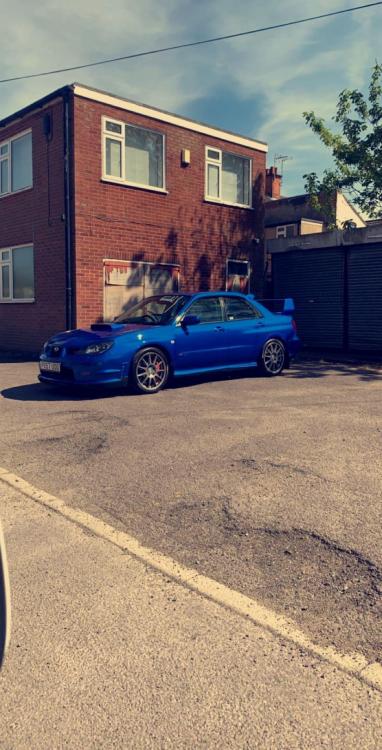
  1. Good evening well I Finally bit the bullet and bought myself a scooby. Picked the hawkeye up last Thursday night and I’m over the moon with it😆. Got some nice little extras too. Running 350bhp fully forged engine 37k on the clock. It’s going to be my new daily drive. Windows getting tinted Tuesday and privet plate to go on soon as log book back through the post. I will upload some better pictures once the windows are done.
Background Picker
Customize Layout

Account

Navigation

Search

Configure browser push notifications

Chrome (Android)
  1. Tap the lock icon next to the address bar.
  2. Tap Permissions → Notifications.
  3. Adjust your preference.
Chrome (Desktop)
  1. Click the padlock icon in the address bar.
  2. Select Site settings.
  3. Find Notifications and adjust your preference.
