Jump to content
View in the app

A better way to browse. Learn more.

Subaru Owners Club UK | Subaru Forums

A full-screen app on your home screen with push notifications, badges and more.

To install this app on iOS and iPadOS
  1. Tap the Share icon in Safari
  2. Scroll the menu and tap Add to Home Screen.
  3. Tap Add in the top-right corner.
To install this app on Android
  1. Tap the 3-dot menu (⋮) in the top-right corner of the browser.
  2. Tap Add to Home screen or Install app.
  3. Confirm by tapping Install.

Nimpy

Members
  • Joined

  • Last visited

Everything posted by Nimpy

  1. Cheers Jay 🙂
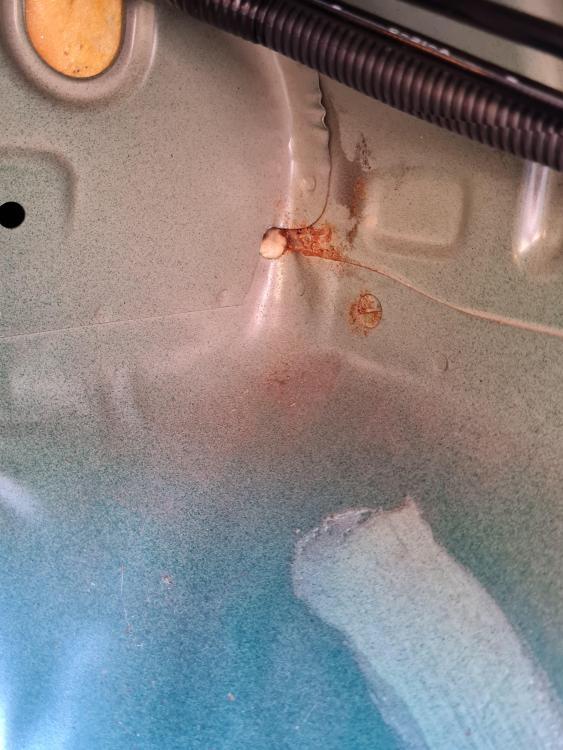
  2. So this is my ride, 1999 UK car. Seems straight, HPI Cleared straight panels etc, paint is OK a few scratches and stone chips which you would expect on an old car. My 1st Subaru, previously VAG cars were my bag, but fancied a change😀 Had the rear seats/boot lining out and been underneath, and she seems to be pretty rust free, apart from this on the offside, had a good go with a screwdriver and no give at all. Should I be worried? Or will that be OK for a couple more years. Heard some real horror stories. Cheers Keith
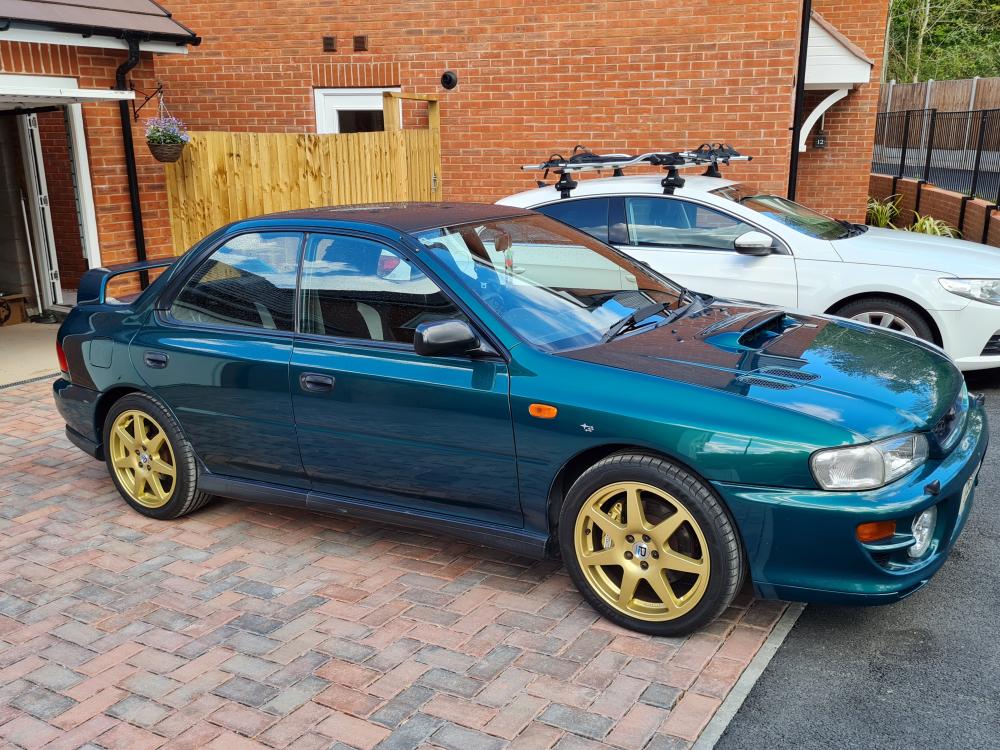
  3. Hi All Recently bought my 1st Impreza. Went for a 99my UK Turbo 2000, seems very straight and not too played with. I shall no doubt be picking the hive mind for help and information. 👍 Cheers, keith

Background Picker
Customize Layout

Account

Navigation

Search

Configure browser push notifications

Chrome (Android)
  1. Tap the lock icon next to the address bar.
  2. Tap Permissions → Notifications.
  3. Adjust your preference.
Chrome (Desktop)
  1. Click the padlock icon in the address bar.
  2. Select Site settings.
  3. Find Notifications and adjust your preference.