KarenB
Members
-
Joined
-
Last visited
-
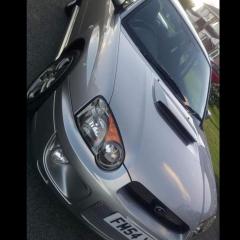
Just looking for a bit of advice on where is the best place to sell my Scooby, where genuine fans of the car might be looking without getting idiots wasting my time. I've owned him since 2013 & literally loved every moment so, as you can imagine, I want him to go to a good home as he's sat on my drive barely getting to play out anymore 😔
-
 Very Nice, almost identical to mine, I've had him since 2013 & still totally love him - although having said that I'm going to be looking at selling mine very soon as he is just wasted sat on my drive now that I mostly work from home :-( ...and I've been saying that for over 2 years now & haven't done anything about it so shows how loathe I am to give him up Haha. Hope yours is bringing you lots of joy 👍
 -