adamcain1990
Members
-
Joined
-
Last visited
-
will take 5500 http://www.ebay.co.uk/itm/231934683799?ssPageName=STRK:MESELX:IT&_trksid=p3984.m1555.l2649
-
now its up for sale
-
adamcain1990 changed their profile photo
-
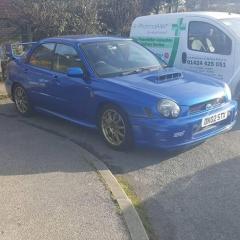
got my self the prodrive bugeye yesterday been looking for a few months then finally i found one
-
hi all on saturday im going to hurst cars to view a impreza with the plate of ar02 sub i noticed on the car it had the fourm stickers on it can anyone tell me more about the care
-
with the hks will i need to buy a adaptor plate
-
not to far then if there any meets you know of coming up please would you let me know
-
anyone from the east sussex area on here
-
oh lol what would people choose colour wise
-
on the kits what does the kelvin mean as some dont have that word in the listings
-
been looking at hids but on some of the kits they say (kelvin) whats the difference
-
ive got lots of bits to buy plus from mishimoto
-
whats the difference between JDM sti 8 rear lights and JDM STI Blob Eye rear lights
-
haha cheers for that we got discount with scoobyworld
-
im going to buy it from scoobyparts
-
so it worth getting along as it not a fake one