


petec
Members
-
Joined
-
Last visited
-
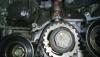
this white little arrow looking thing i ve a lined with the other cirled timing make so the arrow was almost at 12 o'clock sorry too be pain just wont to make sure it's done right thanks gain
-
ok so long story short I've had to take my timing belt off to get to the water pump. When I was trying to line up the timing marks (crank and cams) i got the cam marks to line up so the two 2-line marks where facing and the single lines were where the should be but the crank timing mark (the white little arrow looking thing) was about 90 degrees off its mark now I'm putting it back together should I: put the timing mark where it should be (I've done this and rotated the engine by hand with no interference) or put it back how it was? thanks in advance
-
to all of you thank you so so much :)
-
sorry forgot to put the link in http://www.ebay.co.uk/itm/131568375731?_trksid=p2060353.m1438.l2649&ssPageName=STRK%3AMEBIDX%3AIT
-
ok i m looking at buy my first impreza (always been a nissan guy) and my problem is i looking at buy and sti and befor i go head i buy the one i ve seem. Wonted to make sure it was an sti. Now after google it to death 3 out of 6 webs site's say it not an sti the othere 3 it is . So i give up and asking you guys Engine: Ej20gdw5pe Body code gf8c58d thanks in advance pete
