


Scooby-Virgin
Members
-
Joined
-
Last visited
-
Hmmmm, okay I can deal with that I guess, driven it 40 odd miles since so would know by know if the engine had been damag I would guess, the turbo is still spinning up as well so I will have to ease off until I replace it and keep out of the turbo 😦😦😦😦 gives me a reasonable opportunity to upgrade to td05 though I guess! Has anyone got and good recommendations for good reasonable priced turbos. I have found a td05/20 for around £180 British built online
-
-
-
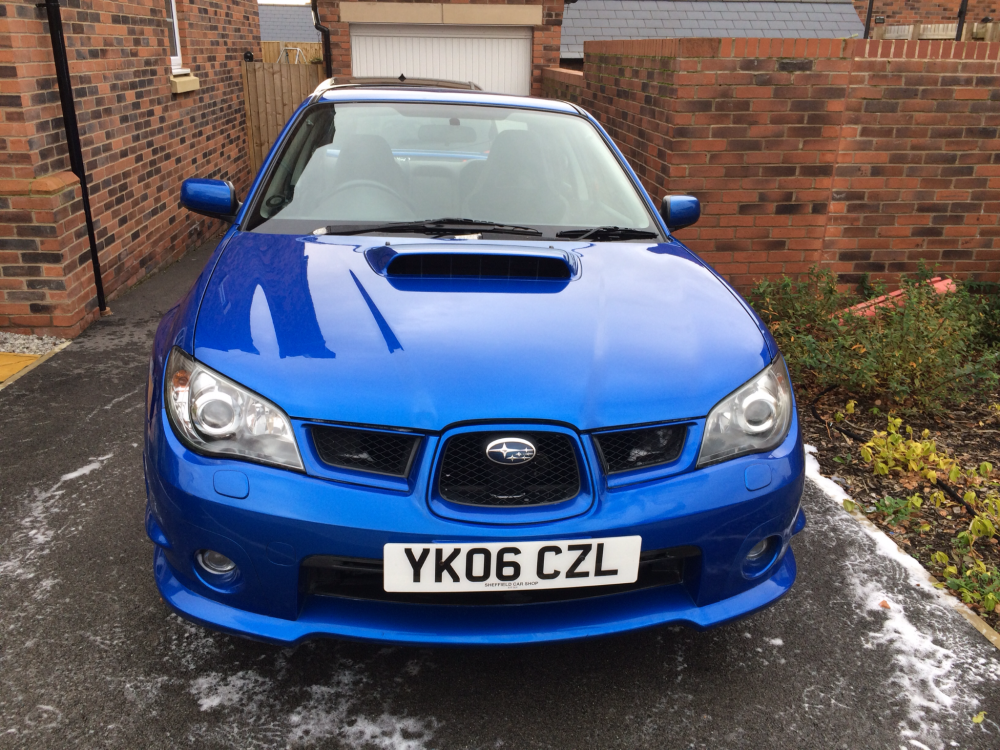
So driving home today and I hear a clinking noise like I have driven over a couple of link chain pieces. Anyway, continue to drive, no issue, accelerating up to 70mph in 4th and the engine loses power and engine light comes on! The car did not go into limp home mode and the car still running fine although not pulling as hard as normal. Following diagnostics it would appear that the waste gate to the turbo has become Jammed half open/closed! I have been told it will be okay to continue to drive (although take it easy (should help with the fuel economy)) but I do need a new turbo! My car is a 2006 hawkeye 2.5 wrx turbo, it has the standard td04 in at the moment and my mechanic has recommend bowling in place a td05. After some thoughts and advice please guys thanks Ian current mods: 3" straight through stainless system exhaust dump valve
-
picture actually attached now!
-
New boots all round! Exhaust next!
-
-
Great looking car. Love the colour.
-
Nice, I'll take a look, what do you think to going up to 225's or stick to 215's?
-
Great advice. Thanks.
-
Gents I am looking to oust new tyres on my Hawkeye WRX. I am able to get 4 Dunlops 225/45/17 W 94's for £300 which is a serious bargain as I know the guy who owns the tyre shop. Before I spend this kind of money is there any issues running 225's rather than 215's and do dunlops suit the car well? At the moment it has potenza's on the front but they only have about 1k or 2k left in them and... Wait for it... AREOWSPEED on the rears! Pretty certain these were put on to get it through its MOT. Normally I run Michillins on other cars I've owned but would appreciate your advice and help if possible? Thanks in advance.
-
Also I have heard to use silicon grease spay on the window seals as it dries with a sheen allowing the window to move more freely... Any ideas or thoughts on that idea?
-
That's really helpful so thanks very much. Sounds like a weekend job! I can live with it until then I'm sure. Thanks
-
Hi guys. So I've had my hawkeye wrx for a week or so now and the drivers window has stopped working, I can hear the relay clicking when I use the switch but the window will not move, all of the other Windows work without an issue but the drivers will not go up or down. I can see this has previously has a new switch (from a breakers I guess). Any help would be greatly appreciated. Thanks Ian
-


