HKS
Members
-
Joined
-
Last visited
-
Hey thanks for the advise Gambit & pete few other forums said the same thing, Will look into that.Scooby Gee if you changed the MAF few weeks back you might wanna check your idle control valve, or if your battery hasn't even connected in a while I could've reset the ECU maybe?
-
Hey all, As i explained before I have a 2000 turbo, and its relatively standard, uprated exhaust, uprated air intake are the only mods. Recently, when the car has warmed up, if i come to a stand still the car revs drop to almost 0, (sometimes it stalls) yet when its on boost, all seems to work fine... Anyone had any experience with this issue? Local garage and friend, (the previous owner) is also stumped by this, they've cleaned the idle control valve, throttlebody etc.. no luck it would seem? Open to suggestions that don't involve my local subaru dealership diagnosing a million different options all at 1000's of ££ to "fix" HKS
-
Hey all, I have a 1997 2000 Turbo, was just wondering, how to de-tango the side repeaters on the front wings, I've got myself the tinted/smoked indicators for the front, but can't seem to find a way to pop off those side jobbies.. or where to purchase clear/smoked ones from, heard possibly the mondeo ones fit, any advice greatly appreciated. Thanks,
-
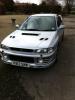
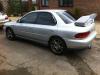
This is my Classic 2000 Turbo! I got new plastic door trim sprayed up waiting to go on! :)