June 12, 201312 yr Looks better then your Legacy mate :D Haha No look good mate have you driven it yet. was interested to know which feels better to drive.
June 12, 201312 yr Author yes I've driven it mate. its very nice to drive and very different to the forester. you can def tell that the forester is basically a impreza underneath the body as everything is a much more tighter drive if that makes sense. the outback is more of a luxury drive and a much softer ride as its a lot quieter and it absorbs all the road bumps and pot holes. it pulls well even though it hasn't got a turbo on it and sits at 90 very happily. as a added bonus when we went to get it we wondered y the spare wheel was in the boot and not in its recess under the boot floor. when we looked we was pleasantly surprised to find a lpg tank. we need to get it serviced but this will be awesome for fuel economy.
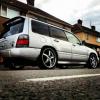
June 12, 201312 yr Author this is what it looked like when we picked it up. it was in need of a very good clean inside and out.
June 12, 201312 yr nice looking motor - will have to give Steve a nudge get some stickers in the post for your lass



Create an account or sign in to comment