Do Not Sell My Personal Information Jump to content
View in the app

A better way to browse. Learn more.

Subaru Owners Club UK | Subaru Forums

A full-screen app on your home screen with push notifications, badges and more.

To install this app on iOS and iPadOS
  1. Tap the Share icon in Safari
  2. Scroll the menu and tap Add to Home Screen.
  3. Tap Add in the top-right corner.
To install this app on Android
  1. Tap the 3-dot menu (⋮) in the top-right corner of the browser.
  2. Tap Add to Home screen or Install app.
  3. Confirm by tapping Install.

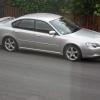
Mighty Car Mods Mk4 Subaru Legacy.

Featured Replies


Yeah I told steve since the update seems to have stopped doing it :( 

Works for me, bit hit and miss though

  • Author

They fit a 3ltr engine from a tribeca into a mk4 legacy estate then stick a turbo on it. Ends up about 380 bhp.

Doing the Mad Max thing at the moment, sure they will come back to this but have a feeling they are getting paid a lot to promote Mad Max so will get on with it again once the silvia is finished.


Not sure if they have another Subaru project car coming up as well or if Marty is keeping super gramps as a daily. 

  • 4 weeks later...

Create an account or sign in to comment


Background Picker
Customize Layout

Account

Navigation

Search

Configure browser push notifications

Chrome (Android)
  1. Tap the lock icon next to the address bar.
  2. Tap Permissions → Notifications.
  3. Adjust your preference.
Chrome (Desktop)
  1. Click the padlock icon in the address bar.
  2. Select Site settings.
  3. Find Notifications and adjust your preference.